

Why Your Tracker Gets Calories Wrong (and How to Fix It)
Most wearables estimate calories with generic assumptions that miss your unique body, activity, and food details. This guide shows practical steps to adjust profile, sensors, activity selection, BMR settings, and logging habits so estimates match your real energy use closely.
What You'll Need
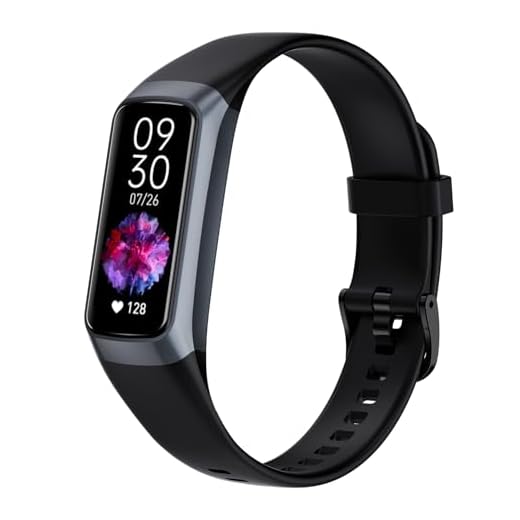
Set Your Personal Profile Accurately
Is your age, height, and sex sabotaging your calorie math?Update your profile now. Open your tracker app, edit your core fields, and save the most recent values. For example, if you lost 15 lb, change your weight or your tracker will keep overestimating calories.
Start by updating core profile fields: age, sex, height, and current weight. Enter the most recent values and update whenever they change. Add resting heart rate and, if available, body fat percentage or VO2 max. Many trackers use these inputs to compute basal metabolic rate (BMR); even small errors can shift daily calorie estimates by hundreds. Check for duplicate profiles or incorrect units (lbs vs kg, cm vs in). If your device asks about fitness level or activity factor, choose the option that best matches your regular routine rather than an aspirational one.

Calibrate Heart-Rate and Motion Sensors
Want fewer wild calorie spikes? Calibrate first.Pair external straps and test sensors. Pair a chest strap if available — chest straps track electrical signals and are usually more accurate; optical wrist straps read blood flow and can lag during sprints. Position the wearable snugly above the wrist bone and clean the sensor with alcohol; loose or dirty contact skews readings.
Update firmware and app to get algorithm fixes. Perform this simple calibration: warm up 5–10 minutes, then do a measured 10–20 minute steady-state run or bike and compare heart-rate to a trusted device (chest strap or gym monitor).

Choose Correct Activity Types and Intensity
Don't let 'walking' ruin your burn rate—pick the real workout.Select the most specific activity mode for every session. Automatic detection is convenient but can misclassify mixed or low‑impact workouts; manually start an activity when precision matters.
Enable GPS for outdoor runs to capture true pace; pick “Treadmill” when running indoors. Choose Strength or Circuit instead of generic “Workout” for resistance sessions to avoid wrist‑motion errors. Set heart‑rate zones or intensity levels if the app allows — intensity drives calories more than duration.
Use MET or manual effort adjustments to match perceived exertion: if a ride feels hard, raise the MET/effort one notch. For example, start “Outdoor Run (GPS)” for a 7:00/mi tempo and select HR Zone 3–4; pick “Strength” for a 45‑minute lifting circuit.

Fine-Tune Basal Metabolic Rate (BMR) Settings
Your tracker isn’t psychic—teach it your metabolism.Override the device’s default BMR with a validated number or a measured resting metabolic rate (RMR). Calculate BMR using the Mifflin–St Jeor equation or use a lab RMR if available. Example: a 35‑yr‑old woman, 65 kg, 165 cm → BMR ≈ (10×65)+(6.25×165)-(5×35)-161 ≈ 1,345 kcal/day.
Adjust BMR for medical factors that shift baseline metabolism: medications (e.g., thyroid drugs), thyroid disorders, pregnancy, or menopause.
Validate and tweak using long‑term weight trends: if you maintain weight but your tracker shows a consistent 300 kcal/day deficit, reduce BMR by ~300 kcal and monitor for 2–4 weeks.
Document any manual BMR overrides in your tracker notes so you can revert changes if needed.

Improve Food Logging Accuracy
Logging ‘chicken salad’ won’t cut it—details change the math.Weigh foods with a kitchen scale and create custom entries for homemade meals. Use barcode scanners for packaged items and always specify portions in grams or ounces, not vague servings.

Validate Results and Iterate
Numbers lying? Run simple experiments to catch them.Validate your settings with real-world checks to ensure calorie estimates reflect reality.
Track weight and body composition weekly and compare trends to your calculated net calorie balance (example: 0.5 kg loss ≈ 3,850 kcal deficit).
Do controlled test days: log precise intake and perform a standardized exercise session to see if reported burn matches your expected burn.
Compare tracker output to a secondary measurement when possible:
Keep a short error log of misclassified activities or persistent offsets (note time, activity, discrepancy).
Adjust profile, activity types, or BMR and re-check after firmware updates or major lifestyle changes.

Keep Calorie Counts Honest — Iterate Regularly
Accurate calorie estimates demand setup, testing, and ongoing tweaks: use precise profile data, calibrated sensors, accurate food logs, and periodic validation to keep numbers useful for decisions—try these steps, track your results, and share outcomes to improve collectively today, together.
Quick question: when you say “calibrate heart-rate and motion sensors”, do you recommend chest strap calibration or just using the watch’s onboard calibration routine? I only have a wrist device and want the best accuracy for calorie burn during rowing sessions.
Best practice is: if you care about HR accuracy for intense workouts (like rowing/HIIT), use a chest strap and pair it to the tracker if possible. If you only have a wrist device, make sure it’s snug, clean the sensor, and perform a calibration session (e.g., steady-state run or bike for 10–15 minutes) so the algorithm has a baseline. The guide notes both options.
I only had a wrist band for ages. Switched to a chest strap for rowing and numbers looked way more realistic — fewer spikes and less ‘ghost’ calories.
Short and honest: I read step 6 and thought “finally, validate results” because I was trusting my watch like it’s a crystal ball. 😂
Anyone else do the old ‘measure weight for a month and cry quietly’? Kidding — but really, validating against real-world results saved me from chasing tiny algorithmic changes.
Also take photos and measurements if weight stalls from muscle gain — trackers don’t know body comp changes.
Ha — you’re not alone. Validation is the reality check people skip. Even a simple 2-week weight trend is powerful feedback.
This made me laugh. Yes, weigh-in routine + same-scale + same time each morning is underrated.
Great guide — finally something that goes beyond “wear it tighter” 😂. I tweaked my personal profile and recalibrated the HR sensor like you suggested and my daily burn dropped by ~200 kcal (in a good way).
Couple of tips from my run-in with trackers:
– If you switch watches, re-do the calibration even if the brand is the same.
– For strength sessions, pick “circuit training” instead of “weights” — it matched my effort way better.
Small nit: the BMR section could use an example calculation for a 35yo male with desk job. Otherwise, solid.
If anyone’s curious: a chest strap paired with the watch made the heart-rate data sooo much cleaner during HIIT.
Thanks Lucas — great to hear the recalibration helped! Good call on the activity type tip. I’ll add a sample BMR calc for a 35yo male in the next update.
Totally agree about re-doing calibration after swapping devices. I forgot once and the numbers were nonsense for a week.
I’m skeptical — trackers still overestimate for me half the time. I followed section 1–4 exactly and still see a ~300 kcal/day difference compared to my actual weekly weight change. Could it be the watch algorithm or am I missing something? Also, the ‘iterate regularly’ advice is vague — how often should you change settings? Weekly? Monthly? Ugh, so many variables 😩
One more thing — some devices let you adjust “activity multiplier” or “exercise efficiency” in advanced settings. Tweak conservatively (5–10%) and monitor for 2 weeks.
I had the same issue until I started logging all snacks. Those 200 kcal coffee habits added up and made the tracker look like it was wrong. Maybe check for stealth calories?
Totally valid frustration, Maya. A few targeted suggestions:
– Track weight trend over 2 weeks before adjusting BMR — short-term fluctuations can be misleading.
– Cross-check food logging accuracy for those days (weighing portions is ideal).
– If HR looks noisy, try a test session with controlled intensity to validate sensors.
I recommend iterating BMR/settings every 2–4 weeks based on trend data, unless you have a metabolic test — then use that as your baseline.
Agree with admin. Also, if you’re doing a lot of strength training, many trackers undercount calories for resistance days. Try selecting an activity that better reflects high effort (or manually add the exertion).
This is the most useful article I’ve read about trackers in a while.
I have a few questions and thoughts:
1) Food logging: I’m obsessive about accuracy but the barcode scanner is hit-or-miss for certain packaged foods. Do you recommend any particular apps that link well to trackers?
2) BMR tweak: I adjusted mine down by 5% after a diet break and it matched my weight change better — is that what you mean by “iterate regularly”?
3) Also — who knew activity type made such a difference? Thought “workout” was one-size-fits-all. 😅
Long story short: thanks for the practical steps. Would love an example week where someone validates tracker data against a metabolic test.
Great questions, Sofia. For barcode scanning most people I know use MyFitnessPal or Cronometer — Cronometer tends to have more verified entries but fewer UI niceties. And yes, iterating BMR by small %-adjustments based on weight trend is exactly what I meant — tweak, test for 2 weeks, adjust again. I’ll look into adding a sample validation week vs a lab test.
About the BMR tweak — make sure you’re not just compensating for under-logged food. I learned that the hard way and it took me months to realize my dinners were being undercounted.
I use Yazio for quick scans and then copy entries into whichever tracker app I use. It’s a bit manual but keeps things accurate.
Example week idea = yes please. Also: if you ever post a template for validating against a metabolic test, include the exact timestamps and what the subject ate the day before — those things oddly matter.
Good point, Maya. The guide’s section 5 covers improving food logging accuracy — weighing foods and saving frequent meals helps a lot. I’ll emphasize cross-checking before changing BMR.