

Why GPS-Free Calorie Tracking Matters
Ever felt your fitness app wildly over- or under-estimating calories because it lost signal or you exercised indoors? GPS-based estimates are often unnecessary and unreliable: signal dropouts, smartwatch sensor errors, and privacy concerns can skew energy numbers and leave you guessing.
You don’t need latitude to get useful calorie estimates. Simple physiology, time and pace awareness, heart rate, and basic tools (pedometers, scales, food logs) can give practical, repeatable results. This article focuses on evidence-based, low-tech hacks you can apply today to improve daily energy accounting. Expect clear methods for common activities, quick calibration tricks, and straightforward validation steps so your calorie tracking becomes accurate and usable—without sharing your location. Start using them right away.


Testing Apple Watch Calorie Burn vs. Sports Lab
Understand the Building Blocks: METs, BMR and Energy-Per-Minute
Core formulas — the math you’ll actually use
Three simple concepts let you estimate calories without GPS: basal metabolic rate (BMR), metabolic equivalents (METs), and energy-per-minute.
Practical shortcuts:
How weight, duration and intensity interact
Common MET ranges (quick reference)
| Activity | Typical MET range |
|---|---|
| Sedentary (sitting/office) | 1.0–1.5 |
| Slow walking (stroll) | 2.0–2.9 |
| Brisk walking | 3.0–4.5 |
| Jogging / easy run | 6.0–9.0 |
| Vigorous running / HIIT | 9.0–12+ |
Worked examples
Limits and personalization: MET tables are averages — fitness, body composition, incline and pace change real cost. Treat these as first-pass estimates and adjust using perceived exertion or device data. Next, we’ll convert these estimates into time, pace and step-based hacks you can use when GPS is off.
Use Time, Pace Awareness, and Step Data Instead of Latitude
Replace distance with time and steps
When GPS disappears, time and steps become your navigation. If you know your stride length, distance = steps × stride. If you don’t, use cadence (steps/min) and time to estimate speed: speed (m/min) = cadence × stride length. These let you convert a 30‑minute walk into an estimated distance and then a MET-based calorie estimate.
Measure stride quickly
Quick field test:
Cadence and pace -> MET mapping
Use perceived pace cues and cadence to pick a MET:
Simple calibration tests you can do now
Treadmill, indoor, and surface adjustments
Combine these quick measures and modifiers to turn time and step counts into surprisingly accurate calorie estimates when GPS can’t help.
Heart Rate as a Reliable Proxy: Calibration and Conversion
Heart rate (HR) tracks the body’s physiological response to work, making it one of the best non‑GPS signals for calories. With a quick personal calibration you can convert HR traces into energy estimates that adapt to fitness level, effort, and session structure.
Quick calibration steps
Karvonen method for intensity zones
Use Karvonen to set intensity:Target HR = HRrest + (Intensity% × HRR).Common zones: 40–50% HRR (easy), 50–70% (moderate), 70–85% (vigorous).
Convert HR to kcal/min (practical routes)
Option A — individualized (best): assume %HRR ≈ %VO2R. If you know VO2max (ml·kg−1·min−1), compute VO2 at intensity:VO2 = VO2rest (≈3.5) + %intensity × (VO2max − 3.5).Then kcal/min = VO2 (ml/kg/min) × weight_kg /1000 × 5.
Option B — simple rule (good field use): map zones to rough kcal/min per 70 kg:
Device and error considerations
Adjust for non‑work HR drivers (heat, caffeine, stress): cross‑check with RPE and reduce calorie estimate 5–15% if HR is elevated for non‑exercise reasons.
Short example
Age 40, 70 kg, HRrest 60, HRmax 180 → HRR 120. Moderate = 60% HRR → HR ≈ 132 bpm.Assume VO2max 40 ml/kg/min: VO2 = 3.5 + 0.6×(40−3.5) = 25.4 ml/kg/min → kcal/min = 25.4×70/1000×5 ≈ 8.9 kcal/min. For 40 min ≈ 356 kcal.
Next, we’ll apply HR‑based estimates to specific activities like strength, HIIT, cycling and swimming.
Activity-Specific Hacks: Strength, HIIT, Cycling and Swimming
When GPS is irrelevant or misleading, lean on activity signatures: sets/reps/load, interval timing, cadence/power, and perceived exertion. Below are compact, practical methods you can apply immediately.
Strength training — sets × reps × load + session context
Estimate mechanical work: Work ≈ load(kg) × vertical displacement(m) × reps × sets. Convert to metabolic kcal by dividing J→kcal (÷4184) then accounting for human efficiency (~20–25%). Simpler: use MET bands — light resistance 3–4 METs, moderate 5–6 METs, heavy/compound work 6–8 METs. Add EPOC: conservative +6–10% for typical sessions; +15% for maximal, glycogen‑depleting sessions.
Quick example: 45‑min moderate session ≈ 6 METs → kcal/min ≈ 6×3.5×70/200 ≈ 7.35 → ~331 kcal; add 8% EPOC → ≈358 kcal.

HIIT — time-weighted MET averaging
Record total high‑effort time and total recovery time. Assign high‑interval METs (10–15 METs depending on sprint/effort) and recovery METs (2.5–4). Average by duration, then convert to kcal/min. Add EPOC 8–15% depending on intensity and work:rest ratio.
Example: 10×(30s @12 MET + 30s @3 MET) → session average = 7.5 MET → use kcal/min formula for total.
Cycling — power or perceived wattage and cadence
If you have power (smart trainer/Wahoo Kickr, Stages) use:kcal/min ≈ (W × 60 / 4184) ÷ efficiency.
Assume efficiency ≈ 0.22 → factor ≈ 0.065 → kcal/min ≈ W×0.065.
Example: 150 W → ~9.8 kcal/min → 60 min ≈ 588 kcal. No power? Use cadence+RPE bands or indoor trainer effort zones (easy/moderate/vigorous).
Swimming — pace, stroke and MET bands
Use stroke rate/pace or perceived swim speed: easy 5–6 METs, moderate 7–9 METs, fast 10–13 METs. Pool workouts with drills raise METs; open‑water swims often cost more for navigation. Convert MET→kcal/min as usual and add small EPOC (+5–10%) for sprint sets.
Next, we’ll show how to combine these activity estimates with simple low‑tech tools (pedometers, scales, food logs) to tighten your daily energy picture.
Combine Low-Tech Tools: Pedometers, Scales, and Food Logs
Bringing together simple gadgets and disciplined logs turns fuzzy calorie guesses into a usable daily ledger. The goal is triangulation: let weight trends, step/cadence data, and food records each catch errors the others miss.
Smart scales — weekly averages, not one-off readings
Weigh every morning after waking, but use a 7‑day average to smooth hydration swings. Many smart scales auto-sync body mass and body‑fat estimates; the value is the weight trend. Use that trend to adjust your energy balance: 0.5 kg/week loss ≈ ~3,850 kcal/week deficit (~550 kcal/day). Small, consistent weight drift is the clearest signal your calorie math needs a tweak.

Pedometers and inertial sensors — steps, cadence and context
A wristband (Fitbit Inspire 3, Garmin Vivosmart 5, Xiaomi Mi Band) or phone accelerometer provides step totals and cadence. Use these to fill holes when GPS isn’t available:
Food logs — consistent, simple, honest
Log everything for a week to establish a baseline. Use a barcode-enabled app (MyFitnessPal, Cronometer) and weigh portions where practical. Don’t chase absolute precision—aim to catch large omissions (hidden sauces, frequent snacks) that create the biggest errors.
A lightweight routine you can stick to
These practices tighten your calorie picture without GPS. Next, we’ll look at small experiments and checks that validate and reduce your remaining errors.
Validate and Reduce Error: Simple Experiments and Best Practices
1) Quick controlled benchmark — tune stride and pace-to-MET mapping
Pick a measured route (100–1,000 m). Walk or run at the pace you usually use, time it, and record steps with your band or phone. Calculate stride length (distance ÷ steps) and steps/minute. Example: a 1,000 m timed walk with 1,200 steps → stride ≈ 0.83 m and cadence ≈ 120 spm. Use those numbers to convert future step or cadence logs into pace and then select the correct MET for your energy-per-minute math.
2) Cross-check heart-rate vs MET-based calories
Do one steady 30–45 minute session where you wear a reliable HR sensor (chest strap like Polar H10 or wrist device) and also log steps/time. Calculate:

3) Long-term validation — reconcile with weight/composition
Track cumulative estimated surplus/deficit versus actual weight trend over 2–4 weeks. Use the rule: 0.5 kg ≈ 3,850 kcal to convert weight change to energy. If your estimates predict a 2,000 kcal deficit but weight is stable, your average error is ~50% that week — use that to create a correction factor.
Practical error-reduction tips
Monthly recalibration checklist
With these quick experiments you’ll transform guesswork into repeatable, trustworthy estimates — then move to the final practical takeaways.
Practical Takeaways and Next Steps
You can get reliable calorie estimates without GPS by combining physiological concepts (BMR, METs), heart‑rate calibration, step/cadence info and activity‑specific rules. Use multiple signals together, prioritize consistent logging, and recalibrate periodically so conversions stay accurate.
This week pick one calibration test — a timed measured walk or a heart‑rate benchmark — and integrate one non‑GPS method (steps, cadence, HR zone, or MET table) into daily tracking. Small, regular checks and mixed signals reduce error and make calorie tracking practical, interpretable, and actionable. Start today and review results after two weeks to refine your conversions. Measure, log, tweak, repeat. Stay consistent.
Really enjoyed this — practical and not overcomplicated. I ditched GPS last month for privacy reasons and used a cheap pedometer + Etekcity VeSync smart scale. The calorie estimates were surprisingly close for walking days.
Quick q: has anyone tried pairing a Powr Labs Dual ANT+ Bluetooth Heart Rate Strap with a cheap smartwatch to improve HIIT estimates? Thinking about buying one.
Glad it helped, Emily — great idea pairing strap + cheap watch. Powr Labs straps are solid for consistent HR data. If your watch supports ANT+ or Bluetooth, you’ll get tighter calorie estimates for HIIT when you calibrate RHR and max HR as the article suggests.
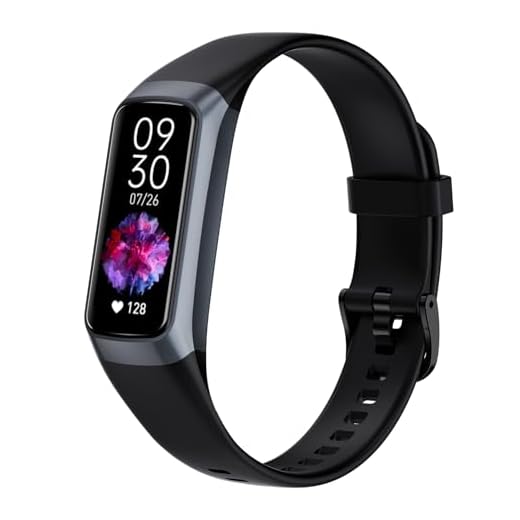
I use the strap with an AMOLED Fitness Tracker. It paired fine and my HIIT calories came down by ~10% (less overcount than the watch’s wrist-only HR). Worth it.
Heads up: some cheap watches claim ANT+ but only do BLE. Check the specs. The Powr Labs strap does both so you’re somewhat future-proof.
This part about energy-per-minute was a lightbulb moment for me. I’ve always relied on calories shown on my watch and felt off.
Made a multi-line note here because I keep forgetting the steps:
1) Find BMR (simple calc)
2) Pick METs for activity
3) Convert to kcal/min
4) Multiply by minutes
Works way better than trusting random watch numbers imo.
Would love that calculator. I still forget the math mid-run 😅
Also remember to adjust METs for incline or heavy load. I add +0.2–0.5 METs when I’m carrying a backpack.
Exactly — that 4-step approach reduces black-box anxiety. If you want, I can post a small web calculator for converting METs to kcal/min soon.
Anecdote: used the article’s simple experiment idea — walked a measured 1 km at my normal pace, recorded steps and smartwatch calorie output, then adjusted my step length in the device settings. It improved outdoor run/walk estimates a lot.
Also: if you’re on a budget, a basic pedometer + food log can out-perform an expensive watch if you actually track food.
Totally — I tracked food more diligently and used the device numbers only for relative intensity. Way less stress.
Love that practical experiment. Small calibration tweaks like step length are low-effort and high-impact. And yes — food logging often beats over-reliance on device calories when trying to manage weight.
This is the real talk. Tech helps but logging wins the game.
I laughed at the ‘no GPS, no drama’ line. 😂
On a more serious note: the Fitbit Inspire 3 is great for sleep tracking but I find its calorie burn in workouts a bit optimistic. Combining it with a chest strap fixed that. So yeah, recommendation to combine low-tech tools = true.
Same experience. Inspire 3 nailed steps and sleep for me but HR-based calories were off until I calibrated with a strap.
Haha — glad that line landed. Good to know about Fitbit Inspire 3; wrist-based devices often overestimate during wrist-intensive activities. Chest straps are still the gold standard for dynamic workouts.
Question for people who’ve tried both: AMOLED Fitness Tracker with 20+ Sport Modes vs the 1.83″ Alexa Smartwatch — which gave you more realistic calorie numbers when used without GPS? I care more about accurate calorie estimates than fancy displays.
I picked the Alexa watch for alarms and app support. For calories, I still use a chest strap during workouts — the watch alone wasn’t enough.
I had the AMOLED device. Sport modes are nice, but without a strap it was overestimating my rowing calories. Export was limited too.
If your priority is calorie accuracy, prioritize sensor quality (HR strap compatibility, chest strap) and raw data export over display. The AMOLED tracker may have better sport presets, but the smartwatch’s ecosystem (if it supports external HR straps) could be better. Check if either lets you export HR/steps.
Loved the Activity-Specific Hacks section. I was clueless about swimming without GPS. The tip to use lap counts + perceived exertion worked for me.
Just fyi I ordered the Sunny CB110 Bluetooth Cadence and Speed Sensor for my old bike. Got it yesterday — pairing was a tad fiddly but numbers look stable.
I had the same pairing trouble — uninstalling and reinstalling the bike app + restarting the sensor fixed it for me. Also: magnet alignment matters if it’s a wheel sensor.
Any tips for lap counting in open-water swims? I get disoriented and miss laps 😅
Thanks for the note, Priya. The Sunny CB110 is a good budget choice; sometimes pairing needs a bike app reset. Glad it’s working for you.
Love the humor in the article. Quick tip from me: if you swim a lot, don’t expect wrist watches to be accurate for HR unless they’re built for it. Using perceived exertion + lap count + occasional scale weigh-ins (Etekcity Wi-Fi Smart Scale) kept my weekly energy balance on track.
Also — tiny typo in the heart rate section: ‘calibration’ spelled twice in a row on the third paragraph 😅
Totally — optical HR in water is hit-or-miss. Chest straps that sit under a suit are better but not always comfy.
FYI some newer wearables have swim-mode HR algorithms that do okay, but you’re right: lap count + RPE is the safest combo.
Thanks for the catch, Yara — fixed that duplicated word. Appreciate the practical swim tip too; perceived exertion is underrated for water workouts.
Short take: step data + pace awareness works great for runs under 50 min. For longer, elevation and fatigue mess things up. I liked the idea of simple in-place experiments to validate numbers. Tried a 30-minute treadmill test and adjusted my METs — helped a lot.
Same — did a 20/40/60 minute test and recorded HR + steps. Made my cycling estimates (on an indoor trainer) way better after mapping cadence to power-ish METs.
Nice — treadmill tests are perfect for that. If you can, repeat at different paces and with/without incline to build a small lookup table for yourself.
A bit skeptical: how much error should we tolerate? The article mentions validating and reducing error, but what’s ‘good enough’ for most people? If I’m within ±10% of actual, is that acceptable?
Also, what’s the cheapest decent strap that still gives reliable ANT+/BLE data? Budget is tight rn.
Agreed. I used a cheaper strap for months and it was fine for trend tracking. If you need clinical accuracy, that’s a different ballgame.
I’d add: consistency matters more. If your device is biased but consistent, you can still track trends reliably.
Great question. For everyday decisions ±10–15% is generally acceptable. If you’re tracking small deficits for weight loss, aim for consistency more than absolute perfection. For cheap straps, Powr Labs is a reliable mid-budget option; some older Polar H7/H10 units are often on sale and work well too.
Constructive point: the article could’ve had a quick cheat-sheet for converting HR zones into calories — maybe a simple table or formula. I know it’s in the text but a tl;dr would help when you’re mid-workout.
Also, minor nit: you mentioned both Etekcity smart scales — VeSync and the Wi-Fi TFT one — some readers might be confused about differences (app vs on-device display).
Good call, Daniel. A one-page cheat sheet would be handy — I’ll add a downloadable PNG with common HR-to-calorie shortcuts and clarify the two Etekcity models (VeSync focuses on app sync; the Wi‑Fi TFT shows more on-device).
Seconded on the cheat-sheet. Also would love sample logs for a week (steps/HR/food) so people can see real rounding and errors.
I actually made a Google Sheet from the article’s formulas and it’s been really useful. Happy to share if admin wants to link it.
Minor tech note: the 1.83″ Alexa Smartwatch advertised is surprisingly feature-rich for the price, but Alexa voice responses can spike battery and confuse HR smoothing during workouts. If you’re relying on steady HR for calorie calc, turn always-on voice off during sessions.
Good tip, Kevin. Background services (voice, notifications) can create HR artifacts. For best data, use ‘do not disturb’ or workout mode when available.
I forgot that once and my HR trace looked like a heartbeat disco. 😂 Lesson learned.
Constructive feedback: could use more on strength training conversions. The section had good pointers, but an example like ’45 minutes lifting at moderate intensity ≈ X kcal’ with assumptions would help readers apply it faster.
Otherwise, solid article. I ordered a basic pedometer and an Etekcity scale to start calibrating my numbers.
Good suggestion, Nathan. I’ll add a few concrete strength-training examples with assumed METs and reps/sets patterns. Glad you’re starting with the pedometer + scale — that’s a powerful combo.
If it helps, a rough guideline I use: moderate circuit lifting ~4–6 METs depending on density. Multiply by your BMR to get kcal/min. Not perfect but useful.