

Why Estimate Calories for Strength Training?
Estimating calories for strength training matters because resistance workouts burn energy in complex ways. People often assume lifting is simpler than cardio, but variables like intensity, rest, and muscle recruitment change expenditure a lot. An interactive estimator translates these factors into actionable numbers for lifters.
This article explains the physiology behind calorie burn, the key variables that drive estimates, and the design principles of a practical estimator. You’ll learn how to provide accurate inputs, apply estimates to programming and nutrition, and improve accuracy over time. Expect clear explanations, practical tips, and tools to help plan workouts, track progress, and manage energy balance. Use the estimator to optimise recovery, body composition, and performance goals consistently.


How Many Calories Do Lifts Burn? Burn Fat Fast and Get Ripped All Year
How Strength Training Burns Calories: The Physiology Explained
Energy systems and active work
Every rep taps stored chemical energy. Short, explosive lifts use ATP and creatine‑phosphate for immediate power; higher‑rep sets rely more on glycolysis; longer, lower‑intensity work shifts toward oxidative phosphorylation. Practically: a 1–3 rep max uses fast systems intensely but briefly, while 12–15 rep sets sustain metabolic demand and raise heart rate for longer.
Intensity, volume, and rest: the three dials
Intensity (load relative to your max), volume (sets × reps × exercises), and rest intervals interact to set metabolic cost. Heavy triples with long rests require high ATP turnover but less continuous cardiovascular stress; a high‑volume circuit with 30–60s rests elevates heart rate and metabolic rate throughout.
EPOC — the afterburn you can feel
Post‑exercise oxygen consumption (EPOC) raises metabolism after training as your body restores oxygen stores, clears metabolites, and repairs tissue. Short sessions of high metabolic disturbance (e.g., supersetting squats and rows) can produce larger EPOC than equal‑time, low‑intensity work. In real life, friends who swap long steady cardio for 30–45 minute intense resistance circuits often report higher calorie burn for similar clock time.
Muscle mass, BMR, and proxies for intensity
More muscle equals higher resting metabolic rate — not dramatic day‑to‑day, but meaningful over months. Mechanical work (barbell displacement × load) is measurable but underestimates metabolic cost because it ignores internal efficiency and stabilization. Use perceived exertion (RPE) and objective proxies (heart rate, session RPE × duration) to estimate total intensity when mechanical work is incomplete.
Actionable tip: log sets × reps × load plus RPE and rest length; that combination gives the best quick estimate of session energy demand for an interactive calculator to use next.
Variables That Drive Calorie Estimates in Strength Sessions
Accurate calorie estimates come from combining many moving parts. Below, key drivers are broken into practical chunks you can feed into an estimator — or collect with a device or notebook.
Body and demographic modifiers
Session structure and load
Volume, rest, and training density
Cardio components and hybrids
Measurement inputs and validation signals
Why single‑factor estimates fail
Single inputs (e.g., just time or only weight lifted) miss interactions: a heavy compound day with long rests has different metabolic cost than a lighter, short‑rest circuit. Good estimators combine demographics, mechanical load, temporal structure, and sensor/RPE signals — which is exactly what we’ll translate into design rules next.
Design Principles Behind an Interactive Calorie Estimator
Which inputs to collect (practical checklist)
Make some fields mandatory, others optional. Start simple and expand as users opt in.
Translating inputs into energy estimates
Combine complementary models rather than relying on one.
Example: an 80 kg lifter logging 5×5 squats at 80% 1RM with 3 min rests — workload model captures mechanical work, METs adjust systemic demand, HR data refines real response.
Modeling EPOC and afterburn
Model EPOC as a function of intensity, volume, and rest density (e.g., 3–15% of session energy for typical resistance work, up to 25% for extreme circuits). Use simple exponential decay tails rather than complex physiology for clarity.
Algorithm design tradeoffs
Next, we’ll detail how to enter these inputs accurately so estimates converge toward reality.
How to Provide Accurate Inputs: Best Practices for Users
Measure yourself reliably
Get a consistent baseline: weigh yourself each morning after voiding, wearing minimal clothing, on the same scale (smart scales like Withings Body+ are convenient). For body‑fat, prefer a recent DEXA or Bod Pod when possible; if using bioelectrical impedance, take multiple readings and use the average. Small weight errors propagate directly into calorie estimates, so consistency matters.
Intensity: 1RM vs RPE
If you know 1RM, enter it per lift. If not, estimate with a 1RM calculator (Epley/Wilks formulas) from a heavy set, or use RPE:
Log exact sets, reps, and rest
Record actual sets × reps × load and rest times between sets (not just average). Rest density dramatically changes systemic demand—3×8 @ 60s rest is very different from 3×8 @ 180s.
Choose correct exercise categories
Pick the closest exercise type (compound Olympic lift, barbell squat, machine isolation, sled push). If an exercise is uncommon, enter mechanical load + ROM when available; otherwise choose “compound – multi‑joint” to avoid undercounting.
Use heart‑rate wearables when possible
Continuous HR traces improve estimates. Chest straps are most reliable for intervals; watches are handy for steady states. Example devices: Apple Watch Series 9, Garmin HRM‑Pro, and the chest strap below.
Handle complex sessions: circuits, drops, supersets, mixed cardio
Periodic calibration routine
Every 4–8 weeks run a short validation workout (e.g., 30 min of your typical session) while measuring HR and post‑session RPE. Compare estimated burns to weight/nutrition changes over 2–4 weeks and adjust your personal multiplier. Small, tracked tweaks will make estimates converge to your reality.
Next, we’ll apply these accurate inputs to program adjustments, nutrition targets, and tracking workflows.
Applying Estimates: Programming, Nutrition, and Tracking
Using session estimates in daily calorie budgets
Treat each strength session estimate as a deductible or additive factor in your daily budget. Two practical methods:
Example: 80 kg lifter, maintenance 2,800 kcal, session = 300 kcal. For a 500 kcal deficit you can either eat 2,300 kcal (counting the session) or eat 2,500 kcal baseline + 300 kcal burned = 2,200 net — choose the system that fits your tracking style.
Programming surplus and deficit phases (quick templates)
Timing carbs and protein around workouts
Interpreting weekly totals: resistance + cardio + NEAT
Aggregate resistance energy expenditure across the week and add measured cardio and estimated NEAT. If weekly exercise adds 1,200 kcal and NEAT fluctuates ±300 kcal, adjust weekly surplus/deficit rather than micromanaging each day — this smooths weight and performance responses.
Tracking workflows and coach communication
Use consistent logging: pair a workout app (Strong, Hevy) with nutrition trackers (Cronometer, MyFitnessPal) and sync to Apple Health or Garmin Connect. For pen-and-paper lifters, a structured log helps.
When sharing with a coach, provide session estimates, HR traces, and recent bodyweight trend (2–4 weeks). These let coaches refine multipliers and program fatigue management. Next, we’ll examine the accuracy limits of these estimates and concrete ways to improve them over time.
Accuracy, Limitations, and How to Improve Estimates Over Time
Sources of uncertainty
Estimating calories for resistance work always involves fuzziness. Common error drivers:
A practical rule of thumb: expect session estimates to vary by roughly ±10–30% from true expenditure depending on data quality and workout structure.
Validation strategies you can use
Check the estimator against real‑world signals rather than trusting numbers alone:

Combine these signals—if weight trends diverge from estimates, that’s your cue to recalibrate.
Incremental improvements
Make the estimator smarter over time:
Realistic expectations and practical tips
With those caveats and practical steps, you can steadily tighten your estimates and make them actionable. Next, the Conclusion will show how to put an estimator to work.
Putting an Estimator to Work
An interactive calorie estimator turns complex physiology into actionable guidance: it helps plan workouts, align nutrition to goals, and quantify progress across weeks and months. When you provide careful inputs—accurate body metrics, realistic intensity, and session structure—the estimator delivers personalized, usable ranges rather than false precision. Treat outputs as informed estimates to guide decisions, not absolute truths.
Pair estimator results with objective tracking (body composition, performance, and recovery), adjust inputs as you learn, and accept that individual variation and measurement error exist. Used wisely, an estimator improves programming, supports daily fueling choices, and sharpens long‑term tracking. Try it consistently, validate against outcomes, and iterate for better accuracy over time. Share results with coaches or clinicians to further refine your plan.
Short and salty: numbers are nice but I still trust my legs more than any app. 😜
That said, I used a cheap smartwatch and then tried the Polar H10 — way different. If you want clean estimates, chest strap or nothing.
Haha, trust the legs. But also, if you pair a cheap watch with good input (weight, rest times, set counts) the estimator can still be useful for trends.
Fair point — raw effort perception matters. The estimator tries to combine subjective RPE/effort inputs with objective device data to balance that. And yes, chest straps usually help a lot.
I love the ‘How to Provide Accurate Inputs’ section — very practical.
I do have a workflow that works for me:
– Weigh with Etekcity in the morning
– Log weight in the A5 Fitness Workout Journal Planner if I’m offline
– Train with Polar H10 for chest strap HR
– Sync workout to the estimator and check the confidence score
It’d be awesome if the estimator recommended macros based on weekly burn estimates. Not asking for a diet plan, just suggested adjustments.
If they do macro suggestions, I hope it’s customizable per goal (lean bulk vs. cut). One-size-fits-all advice can backfire.
That’s a great workflow, Hannah. Macro suggestions are on our roadmap as conservative guidance tied to weekly energy balance — we’ll be careful to present them as suggestions, not prescriptions.
Nice write-up, but one thing bugs me: the article talks a lot about variability and uncertainty but then shows fairly precise numbers in the examples. That could mislead less experienced users into overtrusting the output.
Suggestion: show ranges (e.g., 210–260 kcal) and a confidence score based on input quality (HR strap vs. no HR data, accurate weight vs. estimated).
Also, anyone else noticed that wrist HR during supersets is particularly rubbish? My Fitbit spikes and then drops mid-set.
Agreed on supersets — the wrist sensors struggle with wrist motion and grip changes. Chest strap + estimator = much happier numbers.
Confidence scores would be a huge UX improvement. Even a small note like ‘±10–20% typical error’ could set better expectations for newbies.
Also, maybe include a short primer: ‘When to trust a single-session estimate vs. multi-week trends.’ That could reduce chasing single-day fluctuations.
Excellent point, Michael. We’re planning to add confidence bands and a simple traffic-light confidence indicator (green/yellow/red) based on input completeness and device type. That should help prevent false precision.
Thanks — we’ll prioritize that in the next release notes.
Really informative article. A couple of minor things I appreciated:
– The design principles section explained why you can’t just copy cardio estimators for strength.
– The bit about improving estimates over time (calibrating with known scales and HR monitors) was practical.
Question: do you plan to support direct sync with Fitbit Inspire 3 data (steps/HR) and combine it with user-inputted sets/reps? That hybrid could be really helpful for folks who only own a wrist tracker.
Manual override would be clutch. Also, sync with the A5 journal would make my life easier — two sources of truth are a pain to maintain.
Please include an option to manually override HR data if it’s obviously wonky during a session. That saved me a couple of bogus logs.
Yes, we plan to support Fitbit Inspire 3 and similar wrist devices via their APIs. The hybrid approach (device HR + manual sets/reps + perceived exertion) is core to our accuracy strategy — especially for users without chest straps.
Good suggestions — manual HR override and smoother integration with journals (A5 or otherwise) are on our feature list. Thanks for the input!
Great article — I love the idea of an interactive estimator.
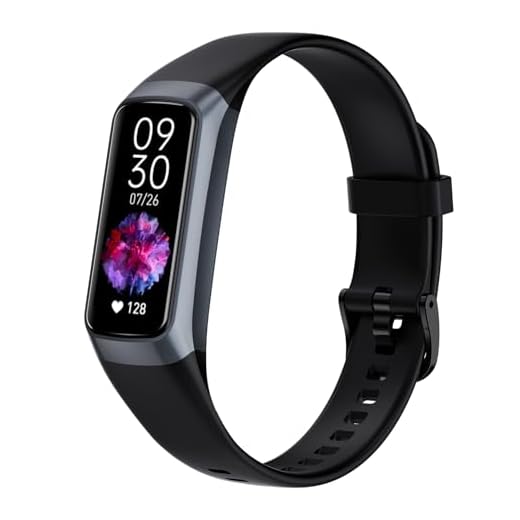
I actually paired my Polar H10 with an AMOLED Fitness Smartwatch during a recent upper-body session and the HR zones made the calorie estimate look way different than my usual guess.
The physiology section was helpful for understanding why that happens.
One thing I’d love: an option to enter workout density (sets/min) — small tweaks change the total a lot.
Also, minor typo in the ‘How to Provide Accurate Inputs’ heading (extra space?).
Typo police here 👮♂️ — I noticed it too. Nice catch!
Thanks, Emily — glad it resonated. Good tip about workout density; that’s exactly the kind of user input we debated including. We’ll consider adding a toggle for set/rest density in the next iteration.
Agree on density — I track that in my A5 Fitness Workout Journal Planner and it really helps when I compare sessions. The Polar H10 pairing sounds ideal for better HR input 👍
Hahaha, love the ‘Lift & Burn’ name — catchy.
Random thoughts:
1) The physiology bit made me feel fancy (physiology!).
2) I tried estimating calories for a 30-min circuit and the estimator’s number was lower than I expected — maybe I was overestimating my own effort 😂
3) Would be cool if the tool recommended whether to log the session in the A5 Fitness Workout Journal Planner or just trust the app.
4) Also, can the estimator account for barbells vs machines? I swear deadlifts feel like they burn a million calories.
Glad you enjoyed it, Zoe. The estimator does allow differentiation between free weights and machines in the ‘exercise type’ input — that helps approximate neuromuscular demand differences. Deadlifts do tend to push HR and EPOC up more, so they often show higher session calories.
Lol same about the deadlifts. I log big lifts in my journal and compare days — helps keep expectations real. The estimator + A5 combo works well for me.
This was a solid read. I like the section on limitations — nothing worse than pretending an estimator is gospel. Quick question: if I use a Fitbit Inspire 3 for heart rate, how much error should I expect versus a chest strap like the Polar H10? I’m trying to decide whether to invest.
Also, any tips on syncing the Etekcity Wi‑Fi Smart Scale data into the estimator for long-term trend tracking?
We’re working on an automatic import for Wi‑Fi scales like the Etekcity — should make integrating weight trends into calorie burn estimates much easier for programming/nutrition adjustments.
If you’re on a budget, get the Inspire 3 first, then upgrade to a chest strap later if you care about session-level precision. That’s what I did.
I’ve used the Inspire 3 for months and it’s fine for daily trends, but for intervals or heavy lifts I switch to the Polar H10. For syncing the Etekcity scale: export your weight/BMI history and upload CSV to the estimator (if supported) or manually log key checkpoints in an A5 journal.
Good question. Generally, wrist-based trackers (like the Fitbit Inspire 3) can be reasonably accurate during steady cardio but may lag or be less precise during strength movements — expect a few percent difference in HR-based calorie estimates vs. a chest strap in many cases. The Polar H10 is the gold standard for HR.