

Get Reliable Heart Data from Your Oura Ring — Fast
Boost your Oura Ring’s heart-rate accuracy fast with five focused steps: fit tweaks, updates, skin prep, calibration routines, and troubleshooting. Crazy fact: poor fit can change readings by up to 10%—fixes often work within minutes to days for many users.
What you'll need
Boost Your Heart Rate Variability with Oura Ring: 10 Practical Techniques
Optimize Fit and Placement
Could one finger tweak fix most errors? (Spoiler: often yes.)Ensure the Ring sits snug—not too loose or too tight—so it moves with your finger but doesn’t rotate during daily activity.
Position the Ring on your index or middle finger where bone contact is firm and tissue thickness is moderate; avoid the tip or the very base of the finger.
Position the sensors to face slightly toward your palm so the optical sensors press gently against skin.
Test different fingers and orientations over 24 hours—small shifts (half a millimeter) can change signal quality dramatically.
Note comfort: if a fit is uncomfortable you won’t wear it consistently, and accuracy will suffer.
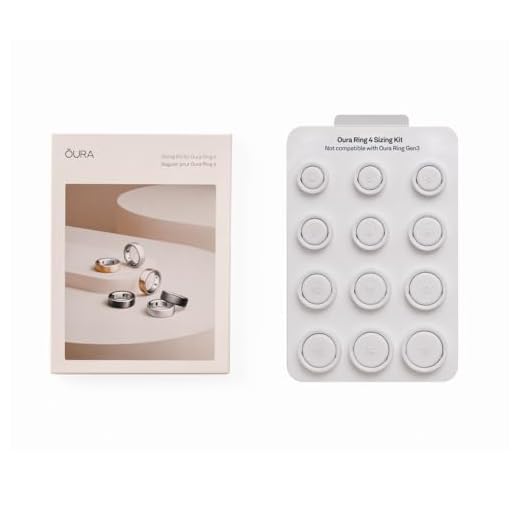
Try a different ring size or add a spacer for adjustable rings if the fit is inconsistent.
Use this quick example: wear the Ring on your middle finger for a day, then switch to the index finger the next day and compare resting HR readings each morning.
Track baseline heart-rate in rest to compare changes after adjustments.

Update Firmware and App, Then Configure Settings
Updates aren’t optional — they often hide sensor fixes and smarter algorithms.Update the Ring firmware and the companion app first. Install available updates—manufacturers push sensor and algorithm tweaks that improve heart-rate interpretation.
Open the app and review health and sensor settings. Enable continuous HR or higher-sampling modes if available. Allow background data refresh (iOS) or background activity (Android) so the Ring can upload and process data continuously.
Re-sync the Ring after every update to ensure settings take effect. Tap the app’s sync/refresh button or toggle Bluetooth off and on to force a fresh connection.
Turn on motion detection or activity-context features so the algorithm can separate movement artifacts from true heartbeats. If the app offers data export or raw HR viewing, enable it to inspect waveforms and compare before/after results.
Example: update, enable continuous HR, then record a short walk — export raw data to confirm fewer spikes and cleaner intervals.
Prepare Skin and Clean Sensors
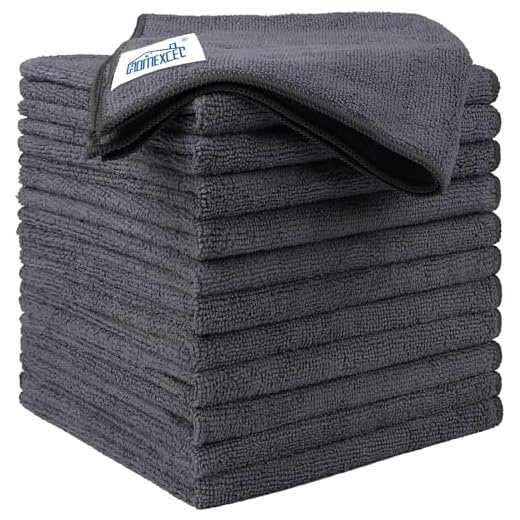
Dirty sensors and oily skin are stealth accuracy killers — clean like your data depends on it.Clean the Oura ring’s sensor surfaces with a soft, lint-free cloth or a 70% isopropyl wipe. Avoid abrasive cleaners and paper towels that scratch the lenses.
Remove lotions, oils, and heavy sweat build-up from both the ring and the finger before key measurements. Wipe the inner sensor groove and the finger pad until dry.
Warm your hands briefly (rub palms together for 10–20 seconds) to boost blood flow. Hydrate mildly—drink a small glass of water or dampen the fingertip—so the optical sensor reads stronger signals.
Try these tips for challenging skin types:
Document pre- and post-cleaning HR readings to confirm improvement.
Calibrate and Validate with Short Workouts
Want confidence fast? Do a 10-minute validation — results speak louder than claims.Run short, controlled sessions so the Ring’s algorithms can adapt. Do a 2–3 minute easy warm-up, then 5–10 minutes of steady-state activity (brisk walk, light cycling, or steady jog) so the sensor locks onto your pulse.
Pair a proven chest-strap HR monitor (Polar, Wahoo, Garmin) if available and record both devices simultaneously. Use the Ring app or a third-party tool (Health export, GoldenCheetah, Fitbit/Moveslink alternatives) to save both traces.
Export and overlay heart-rate traces and look for alignment in key phases:
Repeat tests at different times (morning vs. evening) and after firmware/app changes. Track consistent offsets, lag, or noise — these patterns tell you whether to tighten fit, change sampling mode, or run more cleaning/calibration.

Troubleshoot, Log Changes, and Adopt Smart Habits
Small routines beat big fixes — track tweaks, avoid pitfalls, and you’ll keep accuracy high.Reboot and re-pair the Ring. Reset to factory settings only if re-pairing fails. Test the Ring on another finger or have a friend try it—if their device reads normally, you likely have a hardware or fit issue.
Keep a simple change log so you can revert or iterate. Record these items for each test:
Avoid common accuracy pitfalls: very cold fingers (warm them for 30–60 seconds before testing), excessive arm motion without stabilization, and heavy wrist activity that lets the ring shift. For example, don’t run an accuracy test during vigorous weightlifting if the ring slides.
Adopt simple habits: wear consistently at night, clean sensors weekly, and run a 5–10 minute calibration session after major firmware or app updates.
Gather exports and screenshots and contact support with your log for quicker resolution.

Fast Wins Add Up
Small, systematic changes — fit, updates, cleaning, short calibrations, and habits — quickly improve Ring heart-rate accuracy. Track results, repeat adjustments, and reliable accuracy emerge. Ready to commit?
Question: does skin tone affect accuracy? The guide didn’t dive deep into physiology — would love a short blurb explaining why prep and placement matter across different people.
From what I’ve read, warm skin improves perfusion which helps the sensor. So pre-warm hands or move around a bit before measuring if you can.
Good point — skin tone and perfusion can influence PPG. That’s why placement, firm contact, and short calibration workouts are emphasized: they help the sensor find a stronger signal regardless of skin differences. We’ll expand that section.
Firmware update actually fixed a bunch of random HR spikes for me. Was skeptical but it worked.
Also turned off motion smoothing in the app (didn’t know that existed) and got better readings during brisk walks.
Same here — updates + a quick calibration run = night and day. Don’t skip the app permissions either, I had location turned off and it messed up workouts.
Nice find, Marcus. Motion smoothing can help reduce jitter in some cases but can also lag during sudden changes — worth toggling to see which setting fits your use case.
Has anyone tracked changes after logging tweaks for a week? I’m trying to tell if it’s placebo or real improvement.
I logged fit adjustments + cleaning daily and saw a subtle decrease in variance after 4 days.
Logging changes is exactly the right approach. Look at short-term variance (SDNN) and daily drift rather than single readings. A week is a good start — 2 weeks better.
Placebo is real 😂 but yes, logging helped me spot that my ring slipped at night when I slept on my hand. Small habit change fixed it.
Funny story: I tried calibrating during a dance class. The ring recorded my heart as ‘chill AF’ but it was lying 😂
Seriously though, movement artifacts are real — the guide’s troubleshooting steps helped identify when data is unreliable.
Yeah, cool-downs are way more reliable. Learned that the hard way.
Haha ‘chill AF’ — made me laugh. For dance, I use short cool-downs to validate HR instead of the class peak.
Dancing calibration sounds fun but chaotic for PPG 😄 For high-movement activities, short steady segments are better. Glad the troubleshooting helped.
I appreciated the troubleshooting log tip. I kept a tiny notebook for two weeks and realized my first readings each day were always off until I had coffee — apparently caffeine + morning circulation is a thing 😅
Great observation, Holly. Caffeine and hydration affect HR and peripheral perfusion. Logging those contextual factors is exactly the kind of insight that helps separate device error from physiological variance.
Coffee morning variability — relatable. I record coffee, meds, and sleep quality in mine. Makes trends clearer.
Yep — now I do a quick baseline after hydrating and it’s steadier.
Love the ‘Fast Wins Add Up’ section. Small fixes like cleaning and firmware updates legitimately made the device useful again.
Kudos on the troubleshooting checklist — saved me hours of guesswork.
Totally — the checklist is clutch. I actually laminated a printed copy and stuck it near my workout gear 😂
Thanks Chris! That’s the goal — quick, actionable wins that prevent over-fiddling. Keep a simple checklist and you’ll catch issues early.
Tried the 5-min calibration workout suggestion. Felt silly doing squats just for calibration but the numbers smoothed out afterward. Worth it.
I used a stationary bike for my calibration session. Low-impact and consistent cadence — worked well for me.
Squats are a great option — steady, controlled movement helps the PPG sensor lock on. Glad it helped!
Pro tip: warm up a bit first. Cold fingers can mess with readings.
Lol same, I felt like a calibration fitness influencer for 5 minutes.
One annoying issue: my ring’s sensor fogs up in humid weather and readings drop out. Anyone got tips for that?
Humidity can cause condensation — try wiping the sensor and letting it air-dry for a few minutes before wearing. Also make sure the ring interior is dry and consider temporarily switching fingers.
I carry a small microfiber cloth. Dab the inside quickly after sweaty workouts and it helps.
I noticed less fog when I loosened it a tiny bit after workouts. Tight rings trap moisture.
A few skeptical notes: I think some users expect perfect clinical-grade HR from a consumer ring. The guide does a good job of setting realistic expectations, but maybe emphasize noise sources more (motion, ambient light, tattoos, cold fingers).
Good critique — balance is key. We’ll expand the noise-source list and clarify what to expect in different conditions so readers don’t expect impossible accuracy.
Totally — rings are great for trends not single-reading diagnoses. The guide’s calibration and logging tips help make trends trustworthy.
Exactly. Once people understand it’s about consistent trends, they get more value from the device.
Loved the clear steps — especially the bit about short workout calibration. I did a 10-min jog after tightening the ring slightly and my resting HR seemed more consistent the next day.
One thing I struggled with: how tight is ‘snug’ without cutting off circulation? Anyone else have a rule of thumb?
I follow the one-finger rule too. If it leaves a deep mark, loosen it a touch. Also try different fingers — my ring works best on my middle finger, not the index.
Great question, Rachel — “snug” usually means it doesn’t slide around but still lets one finger slide between your finger and the ring. If you notice numbness or tingling, it’s too tight.
Pro tip: try it on in the morning vs evening. Fingers swell during the day, so morning fit might be snug later on.
Quick and practical guide. I do want to add: when cleaning sensors, use isopropyl alcohol wipes sparingly — they can be harsh on some ring finishes. Gentle soap and water usually does the trick for me.
Good point, Jordan. The guide recommends isopropyl for stubborn grime, but soap and water is safer for routine cleaning. Always dry the sensors completely before wearing.
I ruined the black finish once by overusing alcohol wipes. Lesson learned the hard way 😅
Agree. Also avoid paper towels — they can be abrasive. Use microfiber or a soft cloth.
Minor nitpick: the guide mentions ‘update app settings’ but doesn’t list exactly which toggles to change. Could you add a short list of recommended settings for workouts vs sleep?
Thanks — that’s helpful. I’m on Android so the battery settings tip is gold.
Also check battery optimization on Android — some phones kill background app data and it messes with syncing.
Good feedback — we’ll add a quick table soon. Short answer: enable continuous HR during workouts, ensure workout detection is on, and review any motion-smoothing options. For sleep, prefer snug fit and avoid auto-exercise if you don’t want daytime events logged as sleep.
Two cents: for me, switching fingers between day and night helped — daytime index finger, night middle finger. Night HR was much cleaner.
Also, password-protect your ring app 🤷♂️ just kidding but actually privacy settings matter if you share your data.
Glad it’s not just me. Also, the ring is comfy enough that finger switching isn’t a hassle.
I do day/night fingers too. Prevents weird morning marks and improves sensor contact at night.
Finger swapping can definitely help if circulation or sleep positions differ. And no joke on privacy — always review who has access to your health data.
This guide got me out of a funk where my HR numbers were all over the place. Fast wins like cleaning and a short calibration workout were surprisingly effective.
Minor gripe: could use a small troubleshooting flowchart — some folks (like me) prefer visual steps.
Agreed — a flowchart would be perfect. The written steps are great, but visuals speed things up.
If they make a printable flowchart, I’ll stick it on my fridge 😂
Thanks — looking forward to an update. The content is already solid though!
Awesome to hear it helped, Isabella. I’ll pass on the flowchart suggestion to the editor — a visual checklist would be a great addition.