
Monitoring HRV during sleep reveals recovery, stress, and autonomic balance, letting you spot trends night-to-night, guide training, and improve sleep health with simple, noninvasive tracking—empowering better rest, smarter decisions, and measurable progress over time without intrusive tests or clinic visits.
What You'll Need
Validated HRV-capable device (wearable, ring, chest strap, or phone sensor)
Companion app or export tools
Basic sleep-hygiene knowledge
Willingness to track multiple nights
Best Value
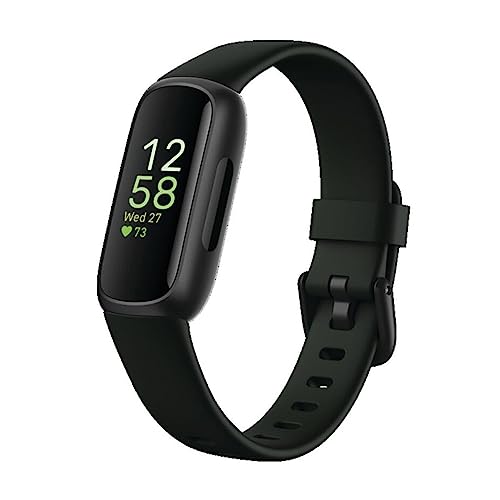
Fitbit Inspire 3 Lightweight Fitness and Sleep Tracker
Best for daily activity and stress management
A lightweight activity tracker offering 24/7 heart rate, stress and sleep monitoring, workout modes, and smartphone notifications. Long battery life and Fitbit Premium trial provide helpful insights to improve daily health and recovery.
Wearable, ring, or phone sensor — which is actually accurate?
Choose a device type that balances accuracy and comfort. Chest straps and ECG-based sensors are most accurate for raw R‑R interval data; rings and wrist wearables are more comfortable and give continuous overnight tracking.
Compare these key factors before buying:
Accuracy: chest strap / ECG > ring > wrist PPG
Validation: check published validation studies or manufacturer data
Sampling rate: higher (250–1,000 Hz) for ECG/chest; lower for PPG can miss beats
Battery & comfort: overnight battery life and a non‑disruptive fit matter
Calculation method: overnight average vs single morning spot — know which your app reports
Consider who you are: an athlete may accept a chest strap for precision; a shift worker may prefer a ring to avoid sleep disruption. Prioritize comfort — poor sleep ruins HRV data.
Top Accuracy
Polar H10 Chest Strap Accurate Heart Rate Monitor
Top choice for precision heart rate tracking
A high-precision chest strap heart rate sensor with Bluetooth, ANT+ and 5 kHz connectivity for simultaneous device pairing. Waterproof design, improved strap comfort, and internal memory make it reliable for training and multi-device setups.
Install the companion app, create an account, and update device firmware before your first night.
Pair the device with your phone via Bluetooth, follow the on‑screen prompts (like pairing headphones), and enable overnight recording or sleep mode in the app.
Place sensors exactly as recommended:
Ring: wear on a stable finger (index or middle) and avoid loose fit
Chest strap: fit snugly below the pectorals so electrodes stay in contact
Watch: wear on your non‑dominant wrist, snug but comfortable
Turn off disruptive notifications and enable Do Not Disturb or Bedtime mode to avoid awakenings.
Verify nightly sync and grant background recording/upload permissions so the app captures full sleep.
Test recording for one night and confirm the app shows “recording” and later displays overnight HRV data.
Feature-Rich
Bluetooth Smartwatch with Health and Call Features
Best for Bluetooth calls and multi-sensor tracking
A versatile smartwatch that supports Bluetooth calling, continuous heart rate, blood oxygen, blood pressure, stress and sleep monitoring plus 150+ sports modes. Customizable watch faces and smart notifications make it a practical daily fitness companion.
Small routine tweaks yield surprisingly stable HRV readings.
Standardize your bedtime and wake time. Go to bed and wake up within the same 30–60 minute window daily (for example, lights out at 11:00 PM, up at 7:00 AM). Consistency highlights physiological trends in HRV.
Avoid stimulants and heavy food close to sleep. No caffeine after mid‑afternoon, skip large meals 2–3 hours before bed, and avoid alcohol within 3 hours of sleep to prevent HRV distortion.
Create a stable pre‑sleep routine. Wind down for 30–60 minutes with relaxing activities (reading, light stretching, breathing exercises).
Keep the bedroom optimized.
Cool: ~60–67°F (15–19°C)
Dark: blackout curtains or eye mask
Quiet: reduce noise or use white noise
Limit screens before bed. Turn off blue‑light devices at least 30–60 minutes before sleep to reduce arousals and improve HRV signal clarity.
Sleep Essential
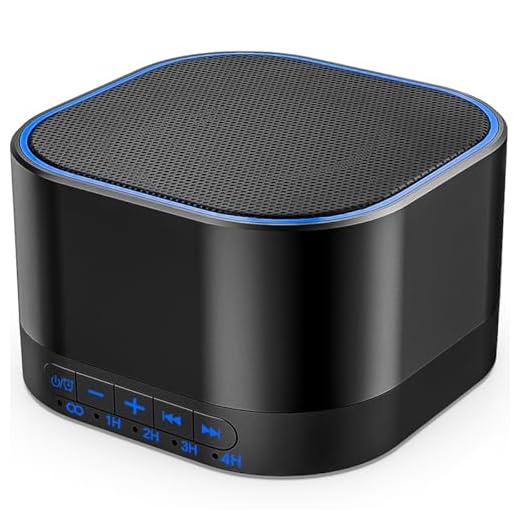
Magicteam Portable White Noise Machine for Sleep
20 non-looping natural sounds with timer
A compact white noise machine offering 20 non-looping nature sounds, 32 volume levels, and multiple timer options to create a consistent sleep environment. Memory function, AC/USB power, and portable design make it suitable for babies, kids, and adults.
Step 4 — Record Multiple Nights and Ensure Data Integrity
One night is noise — how many nights give YOU a signal?
Collect a baseline of at least 7–14 nights to capture normal HRV variability. Record every night and treat the first two weeks as your reference.
Check each night for artifacts or incomplete sleep spans. For example, if your sensor loses contact for 20+ minutes or you woke for several hours, mark that night.
Charge devices nightly and confirm data sync each morning. Open your app each day to ensure the file uploaded; a dead battery can erase a night.
Document nights with disruptions — illness, travel, alcohol, late shift work — so you can separate them during analysis. For example: “Night 5 — drank alcohol; Night 9 — traveled.”
Exclude nights with poor signal or major interruptions rather than treating them as normal data.
All-Rounder
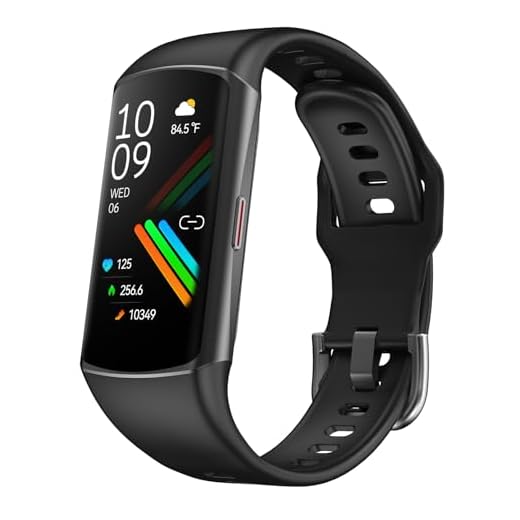
1.58-inch Smart Fitness Watch with Health Tracking
Great for 24/7 health metrics and workouts
A bright 1.58″ touchscreen smartwatch providing continuous heart rate, blood pressure and SpO2 monitoring plus 120+ exercise modes and activity tracking. It delivers message/call alerts, GPS route support via phone, and customizable watch faces for daily use.
Analyze HRV using the common time-domain metrics: RMSSD (vagal tone) and SDNN (overall variability). Review frequency-domain values if your app provides them.
Calculate nightly averages and compare them to a rolling baseline (use 7–14 days). Visualize trends to detect meaningful shifts.
Look for trends: gradual drop, sustained rise, or repeated dips across nights.
Flag outliers: single-night spikes or falls may reflect illness, alcohol, or poor sleep.
Check correlations: compare HRV with sleep stages, perceived stress, or training load (e.g., RMSSD down 20% for 3 nights after heavy workouts).
Export raw data and plot a line chart with the nightly values and rolling baseline to reveal patterns quickly.
Premium
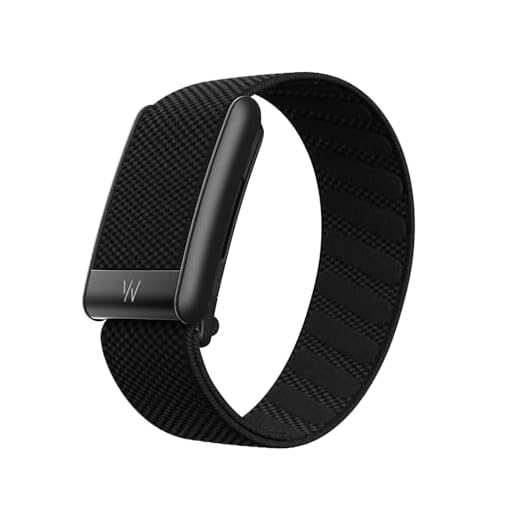
WHOOP Peak 12-Month Membership and Wearable
Personalized coaching for sleep, recovery, and strain
A subscription-based wearable that pairs a WHOOP 5.0 device with a 12-month membership to deliver continuous monitoring of sleep, HRV, heart rate, SpO2 and recovery insights. Long battery life (14+ days) and wireless charging support around-the-clock data collection.
Use HRV to improve sleep and recovery — not obsess over a number.
Translate HRV changes into concrete steps.
Reduce training load. If RMSSD falls >15–20% for 2–3 nights, cut workout volume/intensity (e.g., swap a hard session for easy aerobic work or rest for 48–72 hours).
Prioritize sleep and stress reduction. Improve sleep timing, wind-down routines, and use relaxation (breathwork, meditation) after sustained HRV drops.
Monitor recovery interventions. Track effects of extra sleep, nutrition, or active recovery and compare HRV over 3–7 days.
Account for confounders. Note illness, alcohol, jet lag, medications, and menstrual-cycle phase when HRV changes.
Personalize thresholds and seek help. Set baselines from 7–14 days and act on relative changes; consult a clinician if HRV stays low or you feel unwell.
Long Battery
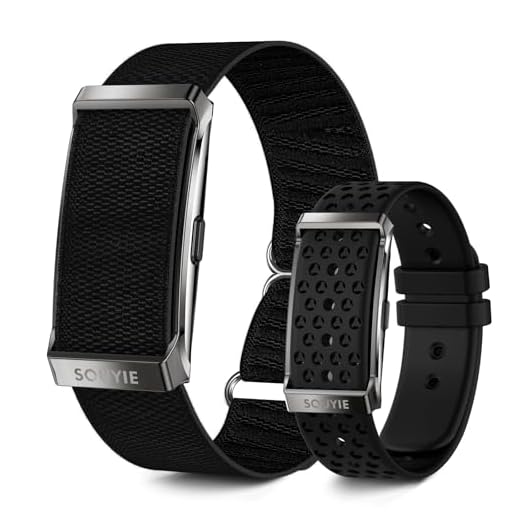
SOUYIE Smart Bracelet with 170+ Sports Modes
24/7 continuous health tracking and long battery
A lightweight smart bracelet offering continuous heart rate, blood pressure, SpO2, HRV, stress and sleep analysis with 170+ sports modes and vibration notifications. Designed for long battery life (20–30 days), 1ATM water resistance, and comes with two bands for comfort.
Start with a validated device, collect a one- to two-week baseline, and use trends — not single nights — to guide recovery choices; re-evaluate and consult professionals, try it and share results.
I tried the guide’s Next Steps and started weekly routines based on HRV trends. Two months later, sleep is more consistent. Small wins! Also — pro tip: sync time zones across devices or your night boundaries get messy.
Oliver Grant
on October 5, 2025
Mostly earlier dinner, no screens an hour before bed, and light stretching.
Fantastic to hear, Oliver. Time zone mismatches are a sneaky source of misaligned data — thanks for the tip!
Noah
on October 6, 2025
Good win! What weekly routine changes did you make?
Maya Lee
on October 6, 2025
Ahhh that explains some of my midnight split-nights. Fixed now, thx.
Zoe Bennett
on October 4, 2025
Not everyone needs to obsess over HRV. The guide is great for tracking, but remember to enjoy life — if your weekend burgers drop HRV a bit, it’s fine 😂
Absolutely — HRV is a tool, not a rulebook. Balance is key.
Ethan Brooks
on October 5, 2025
Couldn’t agree more. Treat it as feedback, not punishment.
Sophia Martinez
on October 4, 2025
Testing a new app and the guide helped me set expectations. Only two quick thoughts:
1) Add a screenshot example of a ‘good’ vs ‘bad’ nightly HRV summary
2) Mention how travel/jets affect baselines (super important imo)
Thanks — we’ll add example visuals and a short note about travel-related baseline shifts to the Next Steps section.
Marcus Reed
on October 5, 2025
Yeah travel ruins my baseline for a week. I annotate travel days in my dataset.
Maya Lee
on October 5, 2025
Really enjoyed the step-by-step — super clear. I switched from a wrist tracker to a ring and the difference in overnight HRV readings was surprisingly big. Question: how many nights do you all think is enough before making any lifestyle changes? I’m thinking at least 10 nights to smooth out the noise.
Great question, Maya. The guide suggests recording multiple nights — typically 7–14 nights gives a solid baseline. If you have irregular sleep, aim for 14+.
Chris Johnson
on October 6, 2025
10 nights sounds reasonable. I did 30 nights when testing a workout change and it caught the real trend vs random dips.
Olivia Carter
on October 6, 2025
If you’re stressed often, I’d do 2 weeks minimum. Otherwise random life events skew early data.
Olivia Carter
on October 5, 2025
Long post incoming — I wanted to share my experience because the guide inspired me to be systematic.
First month I tracked nightly HRV with a chest strap (Step 1 — choose a reliable method). I set up devices exactly as instructed (holy cow Step 2 detail!) and kept sleep conditions consistent (no caffeine after 3pm).
Results:
– Week 1: lots of variability
– Week 2–3: gradual rise in baseline HRV after changing evening routine
– Week 4: I started morning breathing exercises and saw a slight bump
Takeaway: the step-by-step is accurate — small consistent changes matter, and patience is key. Also, backup your data! I lost a week once when the app crashed 😅
Olivia Carter
on October 5, 2025
I used 4-6-4 breathing for 5 minutes before bed. Super simple and felt calming.
Priya Rao
on October 5, 2025
Thanks for the detailed share, Olivia. What chest strap did you use?
Liam O'Neil
on October 5, 2025
Haha the app crash pain is real. Which breathing routine did you try?
Grace
on October 6, 2025
Do you think the chest strap was necessary? Rings are comfier for me.
Awesome breakdown — and great tip about backups. We added a note about exporting data to the Next Steps section.
Liam O'Neil
on October 5, 2025
Does anyone else get weird artifacts when sleeping on their side? My ring slips and the HRV curve looks like a rollercoaster. Tried tighten and still glitchy.
Hannah Wu
on October 6, 2025
Try a small strip of athletic tape under the ring (not too tight!). Worked for me when it moved overnight.
Grace
on October 5, 2025
Question for others: when interpreting results (Step 6), how do you weigh subjective feelings vs HRV numbers? I sometimes feel great but HRV is low, and it’s confusing.
Great point. The guide suggests using HRV as one input among many. If subjective energy and performance are good, a single low HRV night isn’t necessarily alarming. Look for persistent trends and correlate with stressors, illness, or training load.
Daniel Kim
on October 7, 2025
I keep a simple symptom log alongside HRV (mood, sleep quality, training) — that helps me interpret the numbers.
Noah
on October 7, 2025
Love the ‘Create Consistent Sleep Conditions’ section. I added blackout curtains and reduced late-night screen time — my HRV baseline improved in 2 weeks. Worth the effort!
For beginners, RMSSD is often recommended because it’s less influenced by breathing rate and easier to interpret for vagal tone. Also track weekly averages and trends rather than single nights.
Zoe Bennett
on October 17, 2025
And remember: context matters. A low night after a long run isn’t doom — look for persistent changes.
Ethan Brooks
on October 17, 2025
Agree with admin. Also visualize with a weekly moving average — makes trends obvious.
Sam Patel
on October 18, 2025
Nice guide. Quick note: some rings/apps estimate HRV differently (RMSSD vs SDNN). Might be worth a short glossary in the article for beginners.
Ethan Brooks
on November 2, 2025
Short and sweet: Step 4 (data integrity) saved me. I learned to cross-check with the raw ECG export. The app average was lying 😉
Chris Johnson
on November 6, 2025
Step 2 was the most useful for me — had no idea I needed to turn off notifications. My tracker kept waking me up with vibrations and ruined the HRV readings. Simple fix!
Yep — small environmental factors like vibrations or lights can affect sleep stages and HRV. Glad that tip helped!
Marcus Reed
on November 12, 2025
Okay, super nerdy post: I compared RMSSD and SDNN across 50 nights — RMSSD tracked morning stress patterns better for me. If anyone wants the CSV I can share. Data nerds unite! 😅
Also, step 1 advice about choosing the method saved me hours of trial/error.
Love this — thanks for offering to share. A CSV would be useful for readers who want a sample dataset to practice analysis on.
Priya Rao
on November 12, 2025
Yesss data please 😄
Sam Patel
on November 12, 2025
I’d love to see your file, Marcus. DM?
Zoe Bennett
on November 12, 2025
This is my jam. RMSSD also seems less noisy for me.
Marcus Reed
on November 13, 2025
I’ll upload a redacted CSV later today.
Hannah Wu
on December 8, 2025
Minor nitpick: the article mentions ‘turn off sleep coaching’ but some folks rely on those insights. Maybe clarify when to keep vs disable those features?
Good call. We’ll clarify: disable only real-time feedback that disturbs sleep (vibrations/lights). Passive coaching summaries that don’t disturb are fine to keep enabled.
Daniel Kim
on December 18, 2025
I wish the guide had a troubleshooting checklist — like if readings are obviously off, what to do first (battery? sensor placement? software updates?).
I tried the guide’s Next Steps and started weekly routines based on HRV trends. Two months later, sleep is more consistent. Small wins! Also — pro tip: sync time zones across devices or your night boundaries get messy.
Mostly earlier dinner, no screens an hour before bed, and light stretching.
Fantastic to hear, Oliver. Time zone mismatches are a sneaky source of misaligned data — thanks for the tip!
Good win! What weekly routine changes did you make?
Ahhh that explains some of my midnight split-nights. Fixed now, thx.
Not everyone needs to obsess over HRV. The guide is great for tracking, but remember to enjoy life — if your weekend burgers drop HRV a bit, it’s fine 😂
Absolutely — HRV is a tool, not a rulebook. Balance is key.
Couldn’t agree more. Treat it as feedback, not punishment.
Testing a new app and the guide helped me set expectations. Only two quick thoughts:
1) Add a screenshot example of a ‘good’ vs ‘bad’ nightly HRV summary
2) Mention how travel/jets affect baselines (super important imo)
Otherwise, solid guide — easy to follow.
Thanks — we’ll add example visuals and a short note about travel-related baseline shifts to the Next Steps section.
Yeah travel ruins my baseline for a week. I annotate travel days in my dataset.
Really enjoyed the step-by-step — super clear. I switched from a wrist tracker to a ring and the difference in overnight HRV readings was surprisingly big. Question: how many nights do you all think is enough before making any lifestyle changes? I’m thinking at least 10 nights to smooth out the noise.
Great question, Maya. The guide suggests recording multiple nights — typically 7–14 nights gives a solid baseline. If you have irregular sleep, aim for 14+.
10 nights sounds reasonable. I did 30 nights when testing a workout change and it caught the real trend vs random dips.
If you’re stressed often, I’d do 2 weeks minimum. Otherwise random life events skew early data.
Long post incoming — I wanted to share my experience because the guide inspired me to be systematic.
First month I tracked nightly HRV with a chest strap (Step 1 — choose a reliable method). I set up devices exactly as instructed (holy cow Step 2 detail!) and kept sleep conditions consistent (no caffeine after 3pm).
Results:
– Week 1: lots of variability
– Week 2–3: gradual rise in baseline HRV after changing evening routine
– Week 4: I started morning breathing exercises and saw a slight bump
Takeaway: the step-by-step is accurate — small consistent changes matter, and patience is key. Also, backup your data! I lost a week once when the app crashed 😅
I used 4-6-4 breathing for 5 minutes before bed. Super simple and felt calming.
Thanks for the detailed share, Olivia. What chest strap did you use?
Haha the app crash pain is real. Which breathing routine did you try?
Do you think the chest strap was necessary? Rings are comfier for me.
Awesome breakdown — and great tip about backups. We added a note about exporting data to the Next Steps section.
Does anyone else get weird artifacts when sleeping on their side? My ring slips and the HRV curve looks like a rollercoaster. Tried tighten and still glitchy.
Try a small strip of athletic tape under the ring (not too tight!). Worked for me when it moved overnight.
Question for others: when interpreting results (Step 6), how do you weigh subjective feelings vs HRV numbers? I sometimes feel great but HRV is low, and it’s confusing.
Great point. The guide suggests using HRV as one input among many. If subjective energy and performance are good, a single low HRV night isn’t necessarily alarming. Look for persistent trends and correlate with stressors, illness, or training load.
I keep a simple symptom log alongside HRV (mood, sleep quality, training) — that helps me interpret the numbers.
Love the ‘Create Consistent Sleep Conditions’ section. I added blackout curtains and reduced late-night screen time — my HRV baseline improved in 2 weeks. Worth the effort!
Awesome! Environmental changes are often underrated but can have a big effect on sleep physiology.
Same here. Also turned off the bedroom AC at night and it helped. Small things add up.
Blackout curtains are a game-changer. Seriously.
I found Step 5 — analyzing metrics — a bit intimidating. Any tip for newbies on which metric to watch first? RMSSD? Average nightly HRV? 🤔
Thanks all! That’s less scary now.
For beginners, RMSSD is often recommended because it’s less influenced by breathing rate and easier to interpret for vagal tone. Also track weekly averages and trends rather than single nights.
And remember: context matters. A low night after a long run isn’t doom — look for persistent changes.
Agree with admin. Also visualize with a weekly moving average — makes trends obvious.
Nice guide. Quick note: some rings/apps estimate HRV differently (RMSSD vs SDNN). Might be worth a short glossary in the article for beginners.
Short and sweet: Step 4 (data integrity) saved me. I learned to cross-check with the raw ECG export. The app average was lying 😉
Step 2 was the most useful for me — had no idea I needed to turn off notifications. My tracker kept waking me up with vibrations and ruined the HRV readings. Simple fix!
Yep — small environmental factors like vibrations or lights can affect sleep stages and HRV. Glad that tip helped!
Okay, super nerdy post: I compared RMSSD and SDNN across 50 nights — RMSSD tracked morning stress patterns better for me. If anyone wants the CSV I can share. Data nerds unite! 😅
Also, step 1 advice about choosing the method saved me hours of trial/error.
Love this — thanks for offering to share. A CSV would be useful for readers who want a sample dataset to practice analysis on.
Yesss data please 😄
I’d love to see your file, Marcus. DM?
This is my jam. RMSSD also seems less noisy for me.
I’ll upload a redacted CSV later today.
Minor nitpick: the article mentions ‘turn off sleep coaching’ but some folks rely on those insights. Maybe clarify when to keep vs disable those features?
Good call. We’ll clarify: disable only real-time feedback that disturbs sleep (vibrations/lights). Passive coaching summaries that don’t disturb are fine to keep enabled.
I wish the guide had a troubleshooting checklist — like if readings are obviously off, what to do first (battery? sensor placement? software updates?).
Good idea. We’ll add a short troubleshooting checklist covering battery, firmware, placement, and app permissions.
Start with battery and firmware — those fixed 90% of my issues.