

Why Your Fitness Tracker Might Be Wrong (And Why It Matters)
Fitness trackers estimate calories using sensors and assumptions, so small errors can skew results by 10–50%. SURPRISINGLY, some workouts register far fewer calories than you burn. This guide shows practical fixes to improve accuracy and make your data genuinely useful.
What You’ll Need
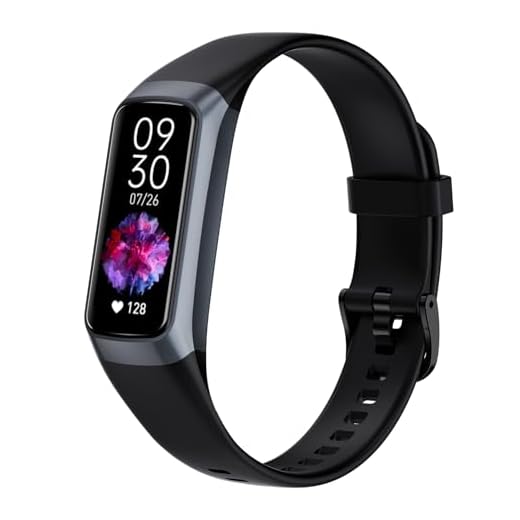
Fixing Inaccurate Fitness Tracker Calorie Burn: Simple Smart Steps for Wellness
Check Fit and Sensor Contact
Is your tracker slipping around like a loose bracelet? Tighten up — placement matters more than you think.Position the tracker snugly but comfortably, about one finger’s width above the wrist bone for most wrist-worn devices.
Place the device on bare skin for optical heart-rate sensors and minimize band movement during activity.
Clean the sensor regularly with a soft, lint-free cloth to remove oils, sweat, and dirt that degrade readings.
Set the correct wrist and dominant-hand option in the app; wearing it on the opposite wrist or leaving the dominant-hand toggle wrong can systematically skew step counts and HR-based calorie estimates.

Update Firmware and App
Outdated software ruins accuracy — updates often fix sensors and algorithms.Check for and install the latest firmware on your tracker and update its companion app. Open the app, go to the device or settings tab, and apply any pending updates—manufacturers regularly refine calorie, step, and heart-rate algorithms.
Restart both your tracker and phone after installing updates, then sync immediately so the new code takes effect. If your watch supports sensor recalibration (common on GPS‑enabled models), follow the maker’s calibration steps — for example, run a measured 1 km route when prompted.
Back up stored workouts and settings before any update that warns of a reset to avoid data loss.
Keeping software current reduces known bugs and can significantly improve calorie estimation accuracy.
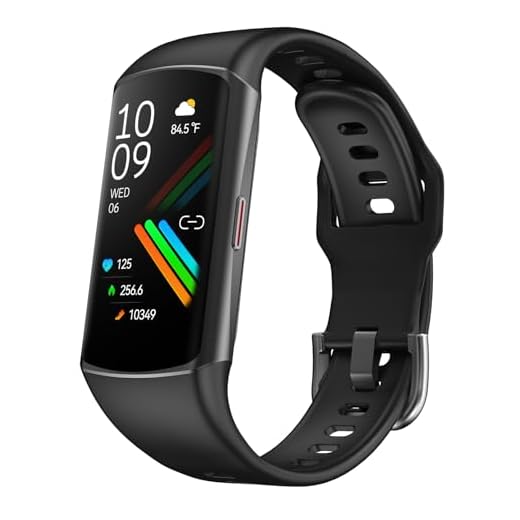
Verify and Calibrate Personal Profile
Are you honest with your tracker about your age, weight, and stride? Small truths change big numbers.Open your profile in the app and confirm age, sex, height, and current weight. Provide measured values for fitness level, resting heart rate, or VO2 estimates rather than leaving defaults. Calibrate stride length: measure a 100‑meter stretch, count steps, then divide distance by steps (e.g., 100 m ÷ 120 steps = 0.83 m stride) and enter it. Select treadmill mode or use manual treadmill/stride calibration to avoid under- or overestimates from step-to-distance assumptions. Update weight after significant changes; even small weight errors change calorie estimates noticeably.

Choose the Right Activity Mode and Sensors
Counting steps for cycling? That’s why your calories look off. Use the right mode.Select the activity type that matches what you’re doing. Pick “Walking,” “Outdoor Run,” “Cycling,” “Strength,” or “Elliptical” so the tracker uses the correct calorie model — for example, choose Outdoor Run + GPS for a park run.
Enable GPS for outdoor runs and rides to improve distance-based calorie estimates. Use continuous heart-rate monitoring for activities driven by exertion; for hard interval sessions, prefer a chest strap for more reliable HR data.
Use the app to switch sensors or pair external devices before you start. Calibrate or confirm bike wheel size or treadmill mode when available.

Validate with Simple Tests and Cross-Checks
Prove it — compare your tracker to reality in a few quick tests.Run a few controlled checks to see how your tracker performs in real life. Do short, repeatable tests and record the device’s outputs.
Adjust stride length, activity type, or paired sensors if differences are consistent; contact support or replace the sensor if readings are wildly inconsistent.

Manage Expectations and Use Trends, Not Obsession
Stop obsessing over single numbers — trends tell the truth and save your sanity.Recognize that consumer trackers estimate calories; biological variability, sensor limits, and proprietary algorithms mean perfect accuracy is unrealistic.
Use daily and weekly trends to judge progress rather than single-workout values.
Compare weekly averages — for example, review mean daily calories burned over seven days instead of relying on one run — to spot real changes.
Combine tracker data with a food log and body measurements to validate energy balance; for example, log calories for 3–7 days and track weight and waist.
Consult a metabolic lab or coach if precise calorie measurement is critical; rely on consistent setup, regular updates, and trend analysis for most users.

Small Fixes, Better Data
Improving placement, settings, and simple validation tests will tighten calorie estimates; focus on consistent setup and long-term trends rather than perfect numbers, because accurate-enough data consistently helps inform training, nutrition, and recovery choices — is your routine ready to change?
Has anyone tried validating their tracker against a gym treadmill or rowing machine? I did a controlled 30-min row and the tracker under-reported by about 12%. Felt strangely liberating to stop chasing exact numbers.
Also, props for the ‘manage expectations’ section — needed that permission to chill.
Nice experiment. I did treadmill incline walks against the machine and used the results to create a multiplier for my tracker.
Rowing tends to confuse wrist devices because of arm strokes and grip. Good to know the % you found.
Thanks for sharing the rowing test result. Those cross-checks are super useful for setting personal correction factors.
Calibrated my profile like section 3 recommends and still see discrepancies when I do HIIT. Maybe trackers are just bad at anaerobic work? Anyone else?
Also, the article’s tone is chill and practical — appreciated.
Some watches have a ‘workout intensity’ slider post-activity — adjust that to match how you felt.
Yep — I use a separate manual entry for HIIT with a ballpark calorie value and it feels more accurate than letting the watch decide.
HIIT and short anaerobic bursts are tough to capture. HR-based algorithms lag and many devices estimate using HR zones; short sprints often get smoothed out. Using manual activity entries or combining with RPE (rate of perceived exertion) when logging can help.
I updated firmware as you suggested and it actually fixed a chunk of the mismatches. But FYI, the update process on my device bricked once and I had to reboot it by holding the button for 30s. Not ideal, so backup any custom settings first.
Same here. Pro tip: charge it to >50% before updating to reduce the chance of interruption.
Good note, Priya. Firmware updates usually go fine but a reboot procedure saved mine once too. We’ll add a warning about backing up settings before major updates.
Yikes — thanks for the heads-up. My tracker had a ‘restore defaults’ option after a failed update and it restored old settings automatically.
I’m not obsessed with exact counts but the trends matter. This guide’s section 6 hit home.
Been tracking for 6 months and using weekly averages helped me avoid panicking over a 200-calorie swing day to day.
Also, the part about using cross-checks with simple tests was practical — I tried walking 1 mile at a specific pace and compared results; gave me confidence levels for different activities.
Same. I stopped weighing myself daily and looked at weekly averages. Much less stress tbh.
Right on, Michael. Trends > single readings. Love the practical experiment you ran — simple tests are underrated.
Out of curiosity — what app do you use to log workouts and compare? Might try the same test.
One thing I wish you’d covered more: how sleep tracking errors can cascade into calorie estimates (some devices adjust daily TDEE based on sleep/HRV). Maybe a deeper dive in part 2?
Yes please — I noticed weird drops in ‘active calories’ after bad sleep nights. Would love more explanation.
Agreed — this is a rabbit hole but an important one.
Great suggestion, Ben. There’s definitely interplay between sleep-derived recovery metrics and some adaptive calorie algorithms. We’ll consider a follow-up exploring that.
Minor nit: the guide suggests choosing the right activity mode but doesn’t list weird ones that mess things up (like yoga vs pilates). I once logged pilates as ‘other’ and it tripled the calories? 🤔
Also, some devices force you into an activity category with no neutral option — annoying.
Pilates = ‘other’ is always a gamble. I usually pick ‘strength’ for mat pilates and it’s closer.
Thanks, Liam. Good point — we could add a small table with common activities and which mode to pick. Some manufacturers do weird multipliers for classes.
If in doubt, use a general cardio mode and then manually edit the duration or intensity afterward.
Random tip: skin tone and tattooed wrists can affect optical HR sensors. My friend with a wrist tattoo saw consistent undercounting until he switched to a chest strap.
Not sure how to fix that besides changing hardware but thought it might help someone.
Correct — tattoos and some skin tones can affect PPG sensors. Chest straps or arm bands can be alternatives. Thanks for flagging this!
Interesting — never thought about tattoos. Technology still has blind spots.
Good PSA. People with darker skin tones have reported similar issues; hardware choices matter.
I appreciated the ‘validate with simple tests’ part. Did a 10-minute step test twice and it gave consistent results so now I trust my daily burn numbers more.
One question: how often should we re-run validation tests? Monthly? Quarterly? Anyone have a routine?
After any device update, for sure. Firmware can tweak algorithms.
Monthly is reasonable if your fitness or weight changes frequently; quarterly otherwise. Also re-run after firmware updates or if you change how you wear the device.
I do a quick re-check every 2 months just to be safe. Takes 10 minutes.
Small fixes, better data — underrated section. I swapped the watch strap for a tighter silicone one and recalibrated my profile and it made readings more believable.
Also, PSA: double-check age and weight in the profile. I accidentally had my weight in kg instead of lbs and that was an embarrassing source of error.
Classic mix-up — units are sneaky culprits. Glad the strap swap worked for you.
LOL kg vs lbs — been there. Data entry errors are surprisingly common.
I laughed at the bit about sensors getting fooled by bike vibrations 😂. My old tracker literally logged 600 cal for a 10-min hand clapping session once.
Question: any tips for cyclists specifically? I use a wrist device and cadence sensor — should I trust the cadence over wrist data every time?
I use a chest HR strap while cycling — way more consistent. Wrist HR lags, especially on climbs.
Cadence helps, but if you can get power readings that’s the gold standard. Expensive though 😅
Ha — that’s classic. For cycling, cadence + speed sensors are usually more reliable for calorie estimates than wrist HR alone. If you can pair a dedicated power or cadence sensor, use that mode.
Great guide — I swear by step 1. My watch was slipping and overcounting calories like crazy.
Quick tip: I switched to wearing it slightly higher on my wrist during runs and it helped a lot. Also, don’t forget to wipe the sensor sweat off after a long session.
Would love a checklist image for fit adjustments though.
Totally — I thought fit was a minor thing until I tried tapping under the strap and saw the HR spike. Little changes matter.
Thanks Sarah — good call on the higher placement. We debated adding a pictorial checklist; might include it in the next update. Wiping sensors is low-effort and high-payoff 👍
Humor time: my band thinks I’m burning 1100 calories while binge-watching true crime. If only! 😂
Seriously though, the ‘small fixes’ section should be pushed — tiny tweaks like strap changes fixed more for me than any software tweak.
Lol — entertainment cardio, the best kind. Small fixes often out-perform big fixes, so glad that resonated.
If only the tracker could factor in emotional stress from cliffhangers — my HR spikes during plot twists.
Entertainment cardio should be a mode — calories for popcorn consumption too pls 😆
Love that you included ‘verify and calibrate personal profile’ — most people skip that. Quick checklist suggestion: re-check weight monthly, height once, birthdate never changes 😅
Also, the guide could mention how pregnancy or meds might change caloric burn so people should be aware of that too.
Great checklist idea — weight monthly is a sensible cadence. And yes, health status changes (pregnancy, meds) absolutely affect metrics — will add a note.
Good call about meds. I forgot to mention beta blockers affecting HR, which ruins calorie estimates for some.