

Why Proper Care Matters for Your Chest Strap Heart Monitor
Clean and care for your chest strap to preserve sensor accuracy, prevent skin irritation and odor, extend the strap’s life, and avoid false readings. Simple, regular steps keep the monitor reliable, comfortable, and ready for every workout during each session.
What You'll Need
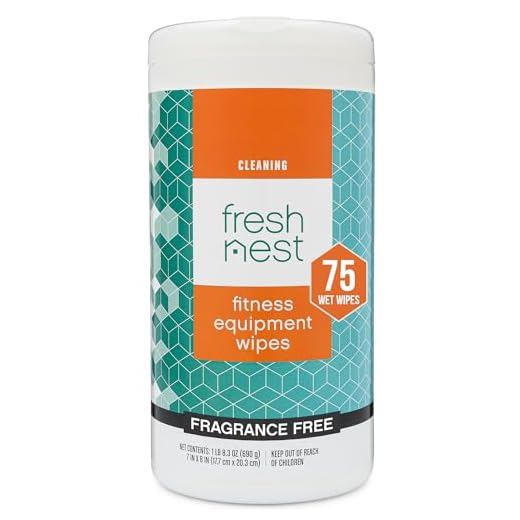
Clean Your Heart Rate Monitor: Quick, Easy Maintenance
Disconnect and Inspect: Start with a Safety Check
Never skip this — simple checks prevent expensive mistakes.Remove the transmitter/module from the strap per the manufacturer’s instructions before any cleaning. Lay both pieces on a clean surface and examine them closely.
Look for these signs of trouble:
If you see anything like a hairline crack near the charging port or a lifted rubber seal, do not submerge the module. Check for warning labels about water resistance and follow them. For example, if the seal is unglued after a rainy run, stop and contact the manual or manufacturer support before proceeding.

Surface Clean the Strap: Daily Care after Every Workout
A 2-minute habit that keeps skin happy and readings reliable.Rinse the strap under running lukewarm water or wipe it with a damp soft cloth and a small amount of mild soap. Remove visible sweat and salt from the areas that contact your skin, especially behind the ribs and under the clasp.
Focus on gentle handling: do not twist, wring, or stretch the elastic strap as you clean it. Treat the fabric like a delicate neckline.
Pat the strap to remove excess water, let it air dry flat and unrolled at room temperature, and repeat this routine after each workout to reduce odor and buildup.

Deep Clean and Disinfect: Weekly Maintenance
When 'quick rinse' isn't enough — remove sweat buildup and bacteria.Soak the textile strap in a bowl of lukewarm water with a few drops of mild soap for 5–10 minutes after detaching any removable pads.
Gently scrub seams and contact areas with a soft toothbrush to lift grime—imagine cleaning the nooks where sweat collects after a long ride.
Rinse thoroughly under running lukewarm water until no soap residue remains.
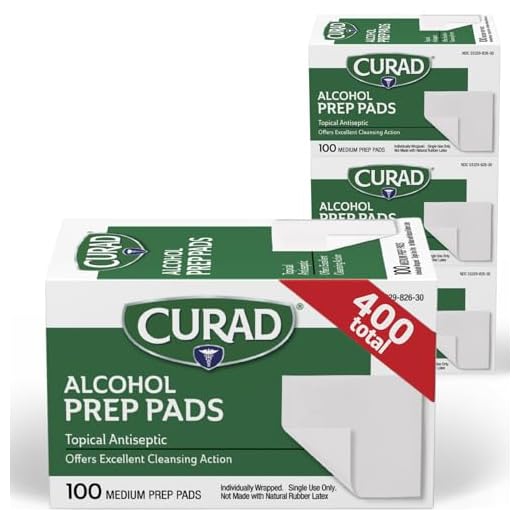
Wipe non-electronic surfaces lightly with a 70% isopropyl alcohol wipe or a manufacturer-approved disinfectant; avoid saturating fabrics.
Never soak the transmitter or submerge any electronic components. Replace disposable electrode pads per the manufacturer’s guidance rather than attempting to clean them.
Clean the Transmitter/Module: Electronics Without the Drama
Spoiler: electronics don't like baths — here’s the safer shortcut.Handle the transmitter carefully. Wipe it with a soft cloth lightly dampened with water only, then dry immediately with a lint-free towel. For example, after a sweaty run, a quick water wipe and dry prevents salt buildup.
Use a 70% isopropyl wipe only if the manufacturer permits. Avoid letting moisture enter connectors, contact pins, or battery compartments.
Use compressed air to blow crumbs or lint from grooves and button recesses. Inspect seals and O-rings for cracks or compression; replace if damaged.

Drying, Storage, and Caring for Skin
Dry it right — the difference between mold and many more workouts.Dry the strap flat, away from direct heat or sunlight, to preserve elasticity and adhesives. Lay it on a towel and air-dry at room temperature after cleaning.
Store it unrolled in a breathable bag or drawer so it can air out. Use a mesh gym bag or a cotton drawer as examples to avoid trapped moisture and mildew.
Rotate where the strap rests on your chest to reduce repetitive irritation. Clean and dry the skin before each use; avoid lotions or oils that reduce electrode contact.
Stop using the strap if you develop red, itchy, or blistered skin and consult a dermatologist. Replace straps or pads when elasticity, adhesive, or conductivity degrades.

Troubleshooting and When to Replace Parts
Not all problems are fixable — know when to let go.
Keep it Clean, Keep it Accurate
Regular simple care preserves accuracy, prevents skin problems, and extends the life of chest strap monitor. Follow manufacturer guidance, clean routinely, replace worn parts, and contact support for hardware issues. Try these steps, share your results, and keep tracking confidently.
Sharing my routine for anyone curious:
– After every workout: rinse the strap under running water, wring gently, air dry.
– Weekly: shallow soak with mild soap, rinse thoroughly, dry flat.
– Transmitter: wipe down with 70% iso weekly, never submerge.
– Replacement: new strap every ~18 months for me; electrodes degrade faster if you sweat a lot.
This has kept my HR readings consistent and prevented skin breakouts. Hope it helps!
Thanks Olivia — that’s a perfect example of a practical routine readers can copy. The 18-month replacement note is especially helpful.
Mark — nope, I avoid sprays. They can mess with the electrodes. Soap + good drying has been enough for me.
Olivia, are you using any anti-odor sprays? I’ve tried a few but don’t want to harm the material.
Do you rotate straps or just replace the whole set? Thinking about backup options.
Backup straps are a great idea. I keep an old one for casual runs and a fresh one for races.
Pretty straightforward guide. But c’mon — ‘keep it accurate’ doesn’t fix a unit that’s 5 years old and lived in a sweat paradise. 😏
Also, weekly deep cleans are fine unless you’re training twice a day — then maybe bump to twice weekly?
I’ve had mine 4 years and it still works fine because I baby it. But yeah, if you train twice daily you’re basically bathing the strap in salt — more maintenance required.
Ha — fair point, Ben. Age and extreme use definitely shorten life. The schedule is a baseline; heavy users should adapt frequency as you suggested.
Really liked the skin-care section. I used to get red patches under the strap until I started:
– rinsing the skin after sweaty sessions,
– letting the strap dry completely before reusing,
– and occasionally using a hypoallergenic barrier cream if I know I’ll be wearing it for long rides.
One more thing: if you pair via ANT+ or Bluetooth and see weird spikes, remove and re-wet the electrodes slightly (not dripping) — often fixes spikes caused by poor contact. Just be careful not to saturate the transmitter area.
Thanks Hannah. I was about to toss mine for spikes — will try the small water trick before trashing it.
Great practical suggestions, Hannah. The re-wet trick for spikes is a helpful addition for the troubleshooting section — we’ll incorporate that.
This guide is super thorough — thank you! I used the surface-clean steps after every run for a month and my strap stopped smelling like gym locker. A few notes from my side:
1) I always disconnect the transmitter first (section 1) and wipe the contacts gently with a cotton swab and 70% isopropyl.
2) For deep clean (section 3) I mix a tiny bit of mild soap + water, soak a cloth (not the transmitter) and let the strap air dry flat — no dryer!
3) If your skin gets irritated, try switching the placement slightly and clean the skin area (section 5) with plain water before wearing.
Saved me from buying a new unit — accuracy seems better too. 😊
Totally agree about air drying flat. I once tossed mine on a radiator and the strap got warped. Lesson learned the hard way 😂
Maya — did you notice any change in pairing speed after deep cleaning? Mine sometimes takes a little longer to reconnect.
Great tips, Maya — thanks for sharing your exact cleaning method. The cotton-swab + 70% iso trick for the contacts is exactly what we recommend for stubborn residue.
Loved the ‘Electronics Without the Drama’ line — made me chuckle. Quick Q: can I use antibacterial wipes on the transmitter? Don’t want to melt anything.
I used wipes for a year with no issues. Just be gentle and don’t press hard around the button.
Good question, Tom. Antibacterial wipes are usually fine for brief surface wipes, but avoid soaking and don’t let moisture get into the ports. Use a lint-free cloth and minimal liquid.
Nice guide. I have a constructive suggestion: include a small troubleshooting checklist (like how to tell if the strap sensors are worn vs. transmitter battery dying). I had to guess for weeks and almost bought a new strap unnecessarily.
Other folks might benefit from a quick image or diagram showing where to check corrosion on the connectors.
Agree with Aisha. For me, inconsistent readings + fading electrode pads = strap replacement. Battery issues usually show sudden dropouts.
If it helps: I tap the transmitter into my phone’s heart-rate app; if it pairs but readings jitter, it’s usually strap/wetness. If it won’t pair at all, check battery or contact pins.
Another quick tip to add: try a soft pencil eraser on the metal contact pads to remove oxidation — very gentle, then wipe clean.
Thanks, Aisha — that’s excellent feedback. We’ll add a short troubleshooting checklist and a close-up photo of common wear points in the next update.
Short note: the ‘disconnect first’ step saved my bacon when a friend tried to clean mine and nearly dunked the transmitter. also — watch the tiny rubber seals, they can get lost 😅
Haha imagine race day without your transmitter seals 😂 — would be a disaster.
Thanks for the PSA, Lucas. Those seals are easy to misplace; keeping a small zip bag for parts during cleaning is a good trick.
I actually keep spare seals in my running bag now. Learned the hard way at a race morning.