6-Step Guide to Real-Time Stress and Heart Rate Tracking
Track Stress and Heart Rate in Real Time — A 6-Step Playbook
This concise roadmap helps you capture, analyze, and act on live heart-rate and stress signals with confidence. I’ll guide you through hardware, streaming, algorithms, UX, privacy, and testing so you build reliable, respectful real-time monitoring for people and products safely.
What you'll need
Real-time-capable wearable (PPG or ECG)
Smartphone or gateway with BLE/Internet
Familiarity with BLE/HTTP APIs
Basic signal-processing or ML skills
Privacy and security mindset
Best Value
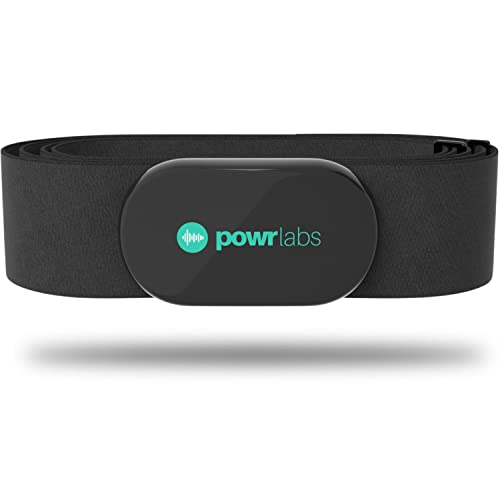
Powr Labs Dual ANT+ Bluetooth Heart Monitor Strap
All-day comfort and 400+ hour battery
A dual ANT+ and Bluetooth chest strap that pairs reliably with Garmin, Wahoo, Polar, Peloton and 400+ apps. It offers clinical ±1 BPM accuracy, soft non-chafing fabric, IPX67 sweat resistance, and a replaceable battery lasting 400+ hours.
Monitor Your Stress in Real Time: A Revolutionary ReadOn Device
1
Choose the Right Hardware
Do you really need a chest strap? Why accuracy often beats convenience.
Select a sensor that matches your accuracy, comfort, and deployment needs. Choose between wrist PPG (good for daily wear), chest-strap ECGs (best for motion robustness and lab accuracy), smart rings (high compliance for sleep), or clinical-grade sensors for research.
Compare devices on these key factors:
Sampling frequency (ideally ≥50–250 Hz for reliable HRV)
Signal quality & sensor placement (ECG vs PPG)
Motion robustness & onboard filtering
Battery life & comfort for long-term use
Raw data export / streaming via BLE/GATT
Manufacturer SDK or open protocols; iOS/Android/Linux compatibility
Check examples: use a chest strap for athlete testing, a wrist PPG or ring for all-day monitoring, and confirm the vendor allows raw-stream access before committing.
Editor's Choice
Polar H10 Bluetooth ANT+ Waterproof Heart Monitor
Industry-leading accuracy with Bluetooth and ANT+
A widely recognized, highly accurate chest heart rate sensor with Bluetooth, ANT+, and 5 kHz connectivity for simultaneous device pairing. The improved strap is comfortable and waterproof, with internal memory and a replaceable CR2025 battery for reliable tracking.
Want live updates? Here's how to stream data cleanly without lag.
Design the flow from sensor to app to backend. Keep paths short and predictable so samples arrive with minimal latency.
Use BLE notifications (GATT) for mobile-first setups; push samples as characteristic notifications.
Use a gateway + MQTT/HTTP/WebSocket for stationary deployments; forward packets reliably to the cloud.
Decide raw waveform vs device-side preprocessing — stream raw PPG/ECG when you need full fidelity, or send beat/timestamp summaries to save bandwidth.
Implement buffering, timestamping, and sync to recover from packet loss and jitter; attach device and server timestamps.
Choose sampling intervals and downsampling to trade latency for power (e.g., 100 Hz raw → 10–20 Hz features).
Ensure client reconnection, backpressure handling, and timestamp correction. Test end-to-end latency and throughput, and log dropped packets for diagnostics.
Reliable Choice
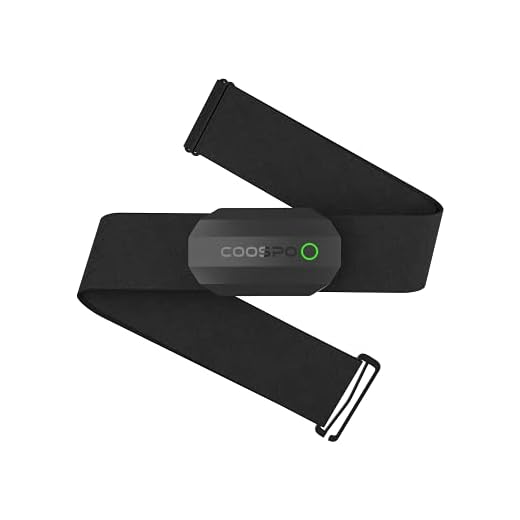
COOSPO H808S Dual Bluetooth ANT+ Heart Monitor Strap
LED indicator, wide compatibility, 300h battery
A ±1 BPM accurate chest strap offering dual Bluetooth and ANT+ connections for sports watches, bike computers, and popular apps like Zwift and Peloton. It features an LED/beep status indicator, IP67 water resistance, comfortable adjustable strap, and roughly 300 hours of battery life.
Implement Accurate Heart Rate and Stress Algorithms
Stress isn't just a number — can algorithms really read it? (Yes, with caveats.)
Preprocess signals: apply a bandpass filter (e.g., 0.5–40 Hz for ECG, 0.5–8 Hz for PPG), remove motion artifacts (adaptive filtering or accelerometer gating), and detect peaks (ECG R‑peaks or PPG pulse onsets) with robust peak validation.
Detect beats and compute instantaneous HR from inter-beat intervals (IBIs). Compute short-window HRV features (use rolling windows like 30s–60s for near‑real‑time).
Common HRV features: RMSSD, SDNN, pNN50, LF/HF
Map HRV to stress via rule-based thresholds (e.g., low RMSSD → higher stress) or trained ML models. Calibrate per user and correct for confounders (activity from accelerometer, caffeine, posture).
Smooth outputs (exponential moving average), compute a confidence score, and provide fallback behavior (suppress alerts or show “poor signal”) when quality is low.
Feature-Packed
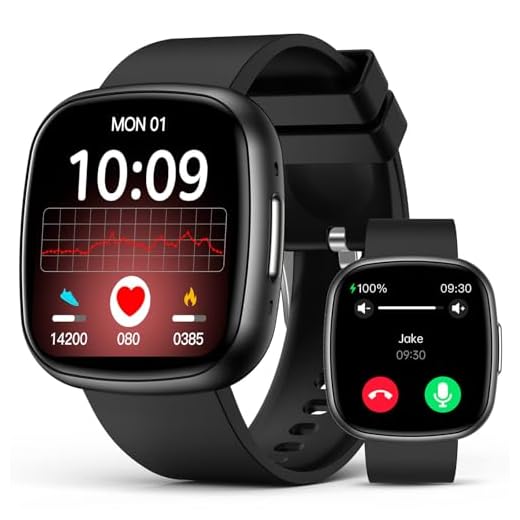
1.72" Super Retina Smartwatch with Health Tracking
Large 1.72" display, 24/7 HRV SpO2
A full-feature smartwatch with continuous heart rate, SpO2, HRV and sleep stage monitoring plus Bluetooth calling and smart notifications. It supports 135 sport modes, offers SOS and voice assistant features, and provides multi-day battery life for everyday health tracking.
Make alerts helpful, not annoying — or they'll be ignored.
Show live HR, a compact trend sparkline, an HRV‑derived stress score, and a visible signal‑quality icon so users can trust readings. Display visual hierarchy with color‑coded bands (green/yellow/red), trend arrows, and adaptive smoothing (e.g., 3–10s EMA) to avoid jitter. Indicate confidence and mute alerts when quality is poor. Design configurable alerts and escalation with actionable suggestions.
Alert types: threshold (HR > 120), rate‑of‑change (increase of 5 bpm within 10s), prolonged stress (≥5 min)
Provide historical context and personal baselines so users see meaningful changes. Support haptic cues, silent schedules, sensitivity settings, and test the UI for information overload, accessibility, and quick‑glance readability.
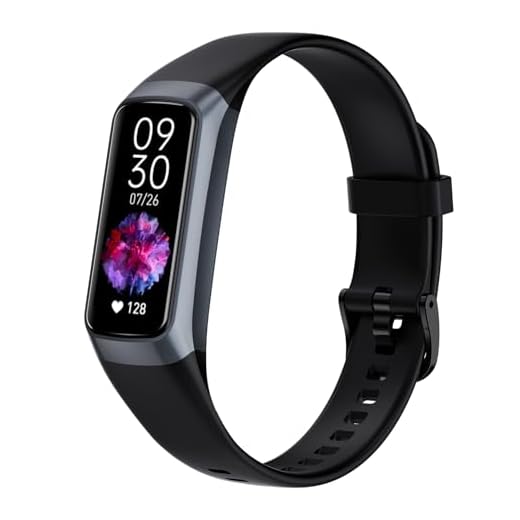
A compact AMOLED fitness tracker that monitors heart rate, blood oxygen, blood pressure, and sleep while offering 25 sport modes and daily activity tracking. It pairs with the Keep Health app for detailed reports and runs on a small rechargeable battery with quick charge time.
Your heartbeat is personal — protect it like a bank account.
Encrypt data end-to-end. Use TLS 1.2+ (prefer TLS 1.3) for transit and AES‑256 for data at rest. Enforce authenticated device pairing and tokenized API access so only trusted devices and services talk to your backend.
Compute sensitive metrics on-device when possible (example: derive HRV/stress locally and send only an anonymized score), and collect only necessary fields. Require informed consent, define clear retention policies, and document data minimization for HIPAA/GDPR compliance.
Enforce: role-based access control and immutable audit logs.
Protect: secure firmware signing and OTA verification.
Operate: rotate keys regularly and apply timely server patches.
Provide: user controls to export or delete personal data and clear consent records.
Top Choice
1.47" HD Fitness Tracker with 100+ Modes
Accurate SpO2, stress, sleep tracking, long battery
A lightweight fitness watch with continuous heart rate, SpO2 and stress monitoring, advanced sleep analysis, and over 100 sport modes to cover workouts and daily activity. The bright 1.47″ HD screen, IP68 protection, and multi-day battery life make it suitable for everyday wear.
If it worked perfectly once, it's still probably wrong — test in the wild.
Validate accuracy and robustness through controlled lab tests and real-world field trials. Compare outputs to clinical ECG or gold‑standard devices across rest, exercise, motion, varied skin tones, and ambient light. Use labeled test cohorts and compute key metrics: bias, RMSE, sensitivity, and specificity. Log edge cases and quantify signal‑quality thresholds that trigger degraded‑mode behavior (for example, drop to averaged HR or request user repositioning).
Run beta trials with diverse users and scenarios (treadmill, cycling, daily commute).
Collect user feedback on comfort, false alarms, and missed events.
Instrument analytics to track false positives/negatives, time-to-detect, and uptime.
Iterate on hardware, filtering, model calibration, and UX until metrics meet real‑world acceptance criteria.
Premium Choice
Fitbit Charge 6 Fitness Tracker with Google
Google Maps, Wallet and Fitbit health tools
A premium fitness tracker that brings turn-by-turn Google Maps directions, tap-to-pay with Google Wallet, and Fitbit health tools together on the wrist. It also includes built-in GPS, exercise tracking and a complimentary 6-month Fitbit Premium membership for guided insights.
Following these six steps yields a pragmatic, secure, and user-centered real-time HR and stress tracking solution. Start small, validate thoroughly, and iterate with real users to move from prototype to reliable product. Ready to transform insights into healthier, lasting habits?
Quick note: section 3 mentions stress algorithms but didn’t specify if you prefer classic feature-based models vs deep learning. Which one scales better for on-device processing?
Daniel Weber
on October 10, 2025
Anyone tried integrating this with wear OS or watchOS? I’m curious about background execution limits and how to reliably stream data without draining the watch. Any tips appreciated.
Both platforms impose strict background execution limits. For watchOS, use the recommended workout or background task APIs to keep sensors active; for Wear OS, use foreground services carefully and consider batching uploads. Also optimize for sparse transmission and edge processing to reduce network use.
Owen Price
on October 10, 2025
Loved the practical examples, but would like a sample data schema for the pipeline (timestamps, HR, quality, device id, etc.). Anyone willing to share a quick template? 🙏
Priestley Kane
on October 10, 2025
That schema works. Also add timezone offset and battery_level for debugging.
We can add a sample schema to the guide. Quick version: {device_id, user_id_hash, timestamp_utc, hr_bpm, ibi_ms, signal_quality, accel_x, accel_y, accel_z, stress_score, algorithm_version}. Include versioning for schema and algorithm.
Owen Price
on October 11, 2025
Perfect — thanks! Timezone+battery will save hours of head-scratching.
We’ll include a downloadable JSON schema in the next revision.
Samantha Lee
on October 10, 2025
I laughed at the “Bring it all together” checklist — felt like Terraforming a small moon 😂
But seriously, the checklist saved me from forgetting consent flows. I added a consent UI first and it avoided complications later. Pro tip: keep the consent language plain and short.
Aaron Voss
on October 10, 2025
Plain language + examples of what data is used for = higher opt-in rates in my A/B tests.
Haha, small moon indeed. Love the tip about plain consent language — regulators and users both appreciate clarity.
Laura James
on October 11, 2025
Really solid playbook — I liked how you broke down the pipeline setup. One question: for “Set Up a Real-Time Data Pipeline”, do you recommend MQTT over WebSockets for low-latency in mobile apps? Also curious about battery life tradeoffs when sampling HR at 1Hz vs 0.2Hz.
Great question, Laura. MQTT is excellent for low-bandwidth, high-latency-tolerant scenarios; WebSockets work well for bidirectional, browser-based real-time UIs. For sampling: 1Hz gives better temporal resolution for HRV-like metrics but drains battery more — 0.2Hz can be enough for basic stress detection. You may also use adaptive sampling (higher during detected events).
Sophie Lane
on October 11, 2025
Thanks — that adaptive sampling tip is gold. Was worried I’d miss short stress spikes if I downsampled too much.
Mark Benson
on October 12, 2025
I’ve used MQTT for background mobile sync and WebSockets for live dashboards. Adaptive sampling saved me a lot of battery — trigger higher rates only when variance spikes.
Carlos Mendez
on October 11, 2025
Nice guide. The “Choose the Right Hardware” section felt a bit light — any recommended sensors for robust PPG in bright sunlight? My workplace has big windows and my readings go crazy.
Good point, Carlos. For PPG in bright light, sensors with ambient light cancellation (ALC) help a lot. Also consider using multi-wavelength LEDs (green+infrared) and algorithms that detect and compensate for saturation. Placement matters too — wrist sensors are easiest but chest straps are more robust in challenging light conditions.
Naomi Fischer
on October 15, 2025
Two cents: don’t underestimate the importance of sample datasets for testing. Even 10 labeled sessions with stress/no-stress can help tune thresholds before field deployment. Create synthetic artifacts too (like motion spikes).
Absolutely — synthetic artifacts and curated labeled sessions accelerate testing. We’ll add a sample dataset section with tips on how to collect diverse scenarios.
Felix Turner
on October 16, 2025
Agreed. We used crowd-sourced sessions for diversity; ended up finding edge cases we wouldn’t have thought of.
Priya Shah
on October 17, 2025
Small critique: Testing section felt generic. I was hoping for concrete metrics or thresholds for algorithm validation (e.g., acceptable MAE for HR estimates). Any suggestions?
Good feedback, Priya. Suggested validation metrics: MAE and RMSE for HR; sensitivity/specificity and AUC for stress detection; Bland-Altman plots for agreement with a reference device; and latency percentiles (p50, p95) for real-time constraints. Set thresholds based on use case — clinical-grade vs consumer-grade differ widely.
Kyle Morris
on October 18, 2025
For consumer apps we tolerated MAE ~3 bpm, but clinical apps often require <2 bpm. Context is everything.
Jessie Ford
on October 18, 2025
This guide helped me prototype a demo in a weekend 🙌
I followed the pipeline section and hooked up a small dashboard. Two things I learned:
1) You MUST filter motion artifacts before HR estimates
2) Don’t ignore clock sync between devices — timestamps messed up my charts
Thanks for the clear steps!
Awesome, Jessie! Love hearing that. Yup — motion artifact rejection and accurate time synchronization are two silent killers of real-time analytics. Glad it worked out.
Oliver Grant
on October 19, 2025
For motion artifacts I used a simple accelerometer-based gating first, then a smarter adaptive filter. Saved a lot of false positives.
Jessie Ford
on October 20, 2025
Oh nice — hadn’t tried accelerometer gating yet. Will add that next iteration.
Nina Alvarez
on October 20, 2025
Clock sync bit me once too — NTP drift caused weird negative latencies in event sequences. Now I add periodic sync checks.
Ivy Nguyen
on October 19, 2025
Wondering about edge cases: what if users have arrhythmias? Stress detection could flag false positives and freak people out. Any guidance on handling outliers or sending medical disclaimers?
Marta Silva
on October 19, 2025
We added a ‘seek medical advice’ modal and a way for users to mark known conditions in their profile — reduced panic messages a lot.
Ivy Nguyen
on October 20, 2025
Good idea — letting users mark medical conditions prevents a lot of noise. Thanks!
Important concern. Always include clear disclaimers that the app isn’t a medical diagnostic tool. For arrhythmias, include a conservative filter that flags unusual rhythms and suggests medical follow-up rather than labeling them as stress. Also consider excluding users from automated stress scoring if ECG-quality rhythm irregularities are detected.
Felix Turner
on October 25, 2025
Heads up — under “Implement Accurate Heart Rate and Stress Algorithms” you recommend HRV-based features. Remember HRV needs stable beat detection; cheap sensors often fail. Don’t want people assuming HRV is always available.
Correct — HRV requires precise inter-beat intervals. We included that recommendation with the caveat of signal quality checks; maybe we should emphasize that more. Thanks for flagging it.
Lena Brooks
on October 26, 2025
Yup. I add a signal-quality index and only compute HRV when quality > threshold. Otherwise fallback to simpler HR-based stress proxies.
Aisha Khan
on October 30, 2025
Privacy section was appreciated. Could you expand on anonymization techniques? Like is hashing user IDs sufficient or do we need differential privacy for aggregated stress analytics?
Robert Chen
on October 30, 2025
Differential privacy is great but complicated — we initially masked IDs + limited granularity (time buckets) and that worked for our compliance team.
Hashing IDs is a start but often insufficient alone because re-identification is possible. For aggregated analytics, consider k-anonymity and differential privacy methods, especially if you’re sharing datasets. Also encrypt data at rest and in transit, and use minimal retention policies.
Hannah O'Connell
on November 12, 2025
Loved the UI tips. One small nit: the alert UX examples all assume immediate attention. Could you add guidance for non-intrusive alerts (like batching or escalating) for office settings? I don’t want to be interrupted for every small HR blip.
Maya Patel
on November 12, 2025
Adding a ‘snooze’ button for a session helps too. Saves embarrassment during meetings 😂
Evan Park
on November 12, 2025
Yup — escalation tiers + hysteresis worked well for our team. Prevents alert storms.
Thanks, Hannah — that’s a great suggestion. Consider multi-tier alerts: silent logging -> passive nudge -> active alert if persistently high. You can also let users set context-aware do-not-disturb windows or trigger escalation only if stress persists beyond a threshold and impacts HRV metrics.





Quick note: section 3 mentions stress algorithms but didn’t specify if you prefer classic feature-based models vs deep learning. Which one scales better for on-device processing?
Anyone tried integrating this with wear OS or watchOS? I’m curious about background execution limits and how to reliably stream data without draining the watch. Any tips appreciated.
Both platforms impose strict background execution limits. For watchOS, use the recommended workout or background task APIs to keep sensors active; for Wear OS, use foreground services carefully and consider batching uploads. Also optimize for sparse transmission and edge processing to reduce network use.
Loved the practical examples, but would like a sample data schema for the pipeline (timestamps, HR, quality, device id, etc.). Anyone willing to share a quick template? 🙏
That schema works. Also add timezone offset and battery_level for debugging.
We can add a sample schema to the guide. Quick version: {device_id, user_id_hash, timestamp_utc, hr_bpm, ibi_ms, signal_quality, accel_x, accel_y, accel_z, stress_score, algorithm_version}. Include versioning for schema and algorithm.
Perfect — thanks! Timezone+battery will save hours of head-scratching.
We’ll include a downloadable JSON schema in the next revision.
I laughed at the “Bring it all together” checklist — felt like Terraforming a small moon 😂
But seriously, the checklist saved me from forgetting consent flows. I added a consent UI first and it avoided complications later. Pro tip: keep the consent language plain and short.
Plain language + examples of what data is used for = higher opt-in rates in my A/B tests.
Haha, small moon indeed. Love the tip about plain consent language — regulators and users both appreciate clarity.
Really solid playbook — I liked how you broke down the pipeline setup. One question: for “Set Up a Real-Time Data Pipeline”, do you recommend MQTT over WebSockets for low-latency in mobile apps? Also curious about battery life tradeoffs when sampling HR at 1Hz vs 0.2Hz.
Great question, Laura. MQTT is excellent for low-bandwidth, high-latency-tolerant scenarios; WebSockets work well for bidirectional, browser-based real-time UIs. For sampling: 1Hz gives better temporal resolution for HRV-like metrics but drains battery more — 0.2Hz can be enough for basic stress detection. You may also use adaptive sampling (higher during detected events).
Thanks — that adaptive sampling tip is gold. Was worried I’d miss short stress spikes if I downsampled too much.
I’ve used MQTT for background mobile sync and WebSockets for live dashboards. Adaptive sampling saved me a lot of battery — trigger higher rates only when variance spikes.
Nice guide. The “Choose the Right Hardware” section felt a bit light — any recommended sensors for robust PPG in bright sunlight? My workplace has big windows and my readings go crazy.
Good point, Carlos. For PPG in bright light, sensors with ambient light cancellation (ALC) help a lot. Also consider using multi-wavelength LEDs (green+infrared) and algorithms that detect and compensate for saturation. Placement matters too — wrist sensors are easiest but chest straps are more robust in challenging light conditions.
Two cents: don’t underestimate the importance of sample datasets for testing. Even 10 labeled sessions with stress/no-stress can help tune thresholds before field deployment. Create synthetic artifacts too (like motion spikes).
Absolutely — synthetic artifacts and curated labeled sessions accelerate testing. We’ll add a sample dataset section with tips on how to collect diverse scenarios.
Agreed. We used crowd-sourced sessions for diversity; ended up finding edge cases we wouldn’t have thought of.
Small critique: Testing section felt generic. I was hoping for concrete metrics or thresholds for algorithm validation (e.g., acceptable MAE for HR estimates). Any suggestions?
Good feedback, Priya. Suggested validation metrics: MAE and RMSE for HR; sensitivity/specificity and AUC for stress detection; Bland-Altman plots for agreement with a reference device; and latency percentiles (p50, p95) for real-time constraints. Set thresholds based on use case — clinical-grade vs consumer-grade differ widely.
For consumer apps we tolerated MAE ~3 bpm, but clinical apps often require <2 bpm. Context is everything.
This guide helped me prototype a demo in a weekend 🙌
I followed the pipeline section and hooked up a small dashboard. Two things I learned:
1) You MUST filter motion artifacts before HR estimates
2) Don’t ignore clock sync between devices — timestamps messed up my charts
Thanks for the clear steps!
Awesome, Jessie! Love hearing that. Yup — motion artifact rejection and accurate time synchronization are two silent killers of real-time analytics. Glad it worked out.
For motion artifacts I used a simple accelerometer-based gating first, then a smarter adaptive filter. Saved a lot of false positives.
Oh nice — hadn’t tried accelerometer gating yet. Will add that next iteration.
Clock sync bit me once too — NTP drift caused weird negative latencies in event sequences. Now I add periodic sync checks.
Wondering about edge cases: what if users have arrhythmias? Stress detection could flag false positives and freak people out. Any guidance on handling outliers or sending medical disclaimers?
We added a ‘seek medical advice’ modal and a way for users to mark known conditions in their profile — reduced panic messages a lot.
Good idea — letting users mark medical conditions prevents a lot of noise. Thanks!
Important concern. Always include clear disclaimers that the app isn’t a medical diagnostic tool. For arrhythmias, include a conservative filter that flags unusual rhythms and suggests medical follow-up rather than labeling them as stress. Also consider excluding users from automated stress scoring if ECG-quality rhythm irregularities are detected.
Heads up — under “Implement Accurate Heart Rate and Stress Algorithms” you recommend HRV-based features. Remember HRV needs stable beat detection; cheap sensors often fail. Don’t want people assuming HRV is always available.
Correct — HRV requires precise inter-beat intervals. We included that recommendation with the caveat of signal quality checks; maybe we should emphasize that more. Thanks for flagging it.
Yup. I add a signal-quality index and only compute HRV when quality > threshold. Otherwise fallback to simpler HR-based stress proxies.
Privacy section was appreciated. Could you expand on anonymization techniques? Like is hashing user IDs sufficient or do we need differential privacy for aggregated stress analytics?
Differential privacy is great but complicated — we initially masked IDs + limited granularity (time buckets) and that worked for our compliance team.
Hashing IDs is a start but often insufficient alone because re-identification is possible. For aggregated analytics, consider k-anonymity and differential privacy methods, especially if you’re sharing datasets. Also encrypt data at rest and in transit, and use minimal retention policies.
Loved the UI tips. One small nit: the alert UX examples all assume immediate attention. Could you add guidance for non-intrusive alerts (like batching or escalating) for office settings? I don’t want to be interrupted for every small HR blip.
Adding a ‘snooze’ button for a session helps too. Saves embarrassment during meetings 😂
Yup — escalation tiers + hysteresis worked well for our team. Prevents alert storms.
Thanks, Hannah — that’s a great suggestion. Consider multi-tier alerts: silent logging -> passive nudge -> active alert if persistently high. You can also let users set context-aware do-not-disturb windows or trigger escalation only if stress persists beyond a threshold and impacts HRV metrics.